
A well-drafted motion to dismiss can end a case before you ever take a deposition. It saves your client months of litigation costs and years of uncertainty. But drafting one properly takes work: you need the right legal grounds, supporting case law, a structured argument, verified citations, and a polished final document.
The traditional process takes most attorneys a full day or more. Research eats the morning. Drafting fills the afternoon. Citation checking and formatting stretch into the evening. And that's before the partner's review round.
Here's how to collapse that into under two hours using an integrated workflow — from identifying your grounds to exporting a filing-ready brief.
Step 1: Identify Your Grounds
Before you open any tool, look at the complaint. You need to know what you're attacking. The most common grounds for dismissal under the Federal Rules of Civil Procedure (or your state equivalent):
Rule 12(b)(6): Failure to State a Claim — The most frequently used. Even accepting every allegation as true, the plaintiff hasn't stated facts that entitle them to relief. Focus on what's missing from the complaint, not what you believe the facts actually are.
Rule 12(b)(1): Lack of Subject Matter Jurisdiction — The court has no authority to hear this case. Amount in controversy, diversity of citizenship, or the absence of a genuine federal question.
Rule 12(b)(2): Lack of Personal Jurisdiction — The court has no power over the defendant. Minimum contacts, due process, specific vs. general jurisdiction.
Rule 12(b)(3)-(7): Improper venue, insufficient process, insufficient service, and failure to join a required party. Less common, but powerful when they apply.
Spend 10 minutes reading the complaint carefully. Identify every potential ground. You might brief one or two, but knowing all your options lets you choose the strongest argument.
Step 2: Research the Law
This is where traditional drafting bogs down. You need cases that support your specific grounds in your specific jurisdiction. Boolean keyword searches require you to guess how courts have worded the legal concepts you're looking for. You run multiple queries, wade through dozens of irrelevant results, and hope you haven't missed a controlling case.
With AI-powered case law search, you skip the guesswork. Search in plain English:
"Cases granting 12(b)(6) dismissal where plaintiff failed to plead specific facts showing breach of fiduciary duty in Delaware"
"Ninth Circuit cases dismissing complaint for lack of personal jurisdiction over out-of-state corporation with no physical presence in forum state"
"Motion to dismiss granted for failure to plead fraud with particularity under Rule 9(b) in the Southern District of New York"
The AI understands legal concepts, not just keywords. It finds cases discussing "failure to allege sufficient facts supporting the elements of the claim" even if they never use the exact phrase "failure to state a claim." Results are ranked by actual legal relevance, with AI summaries that let you quickly identify the strongest authorities.
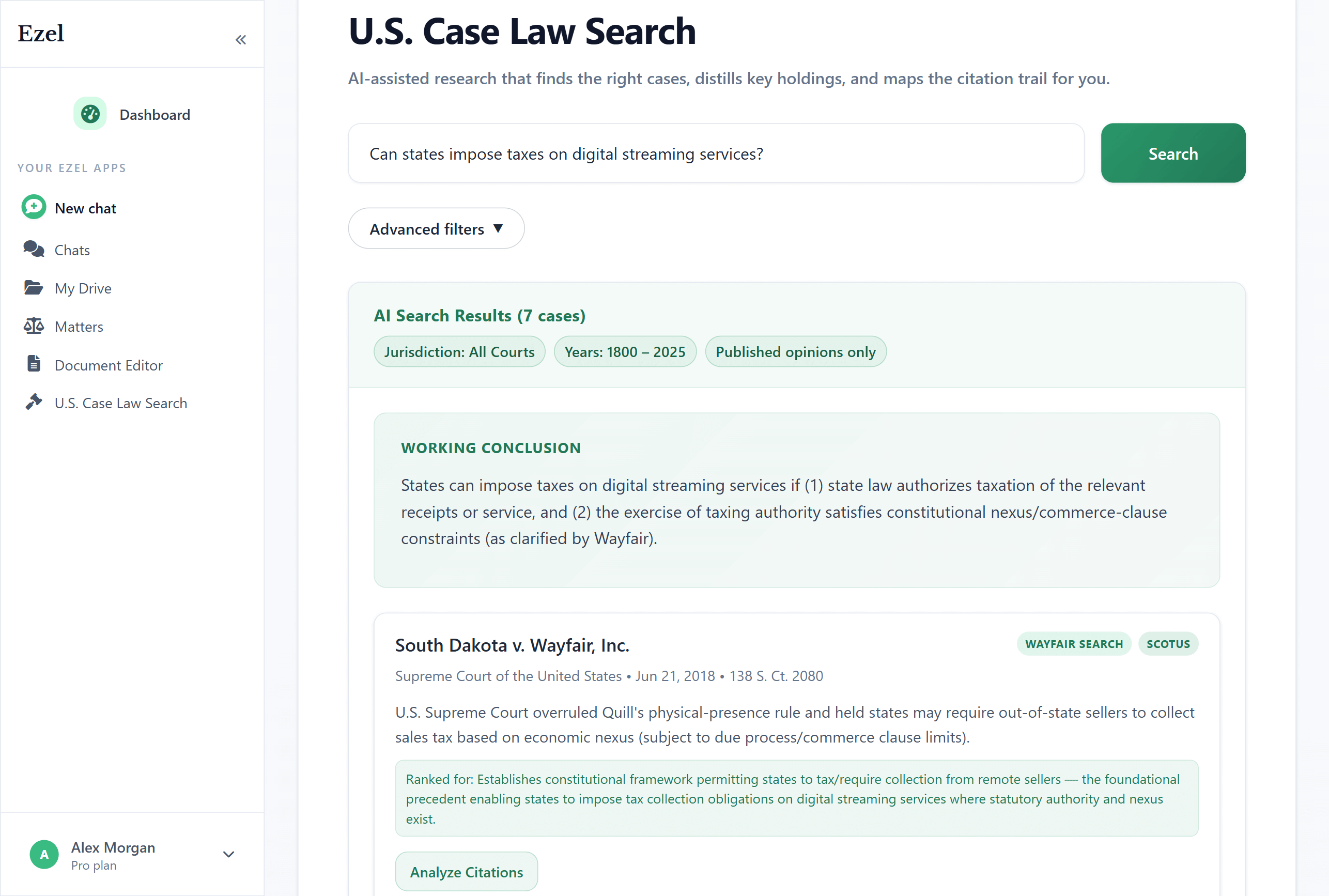
What to look for in your results:
- Controlling authority from your jurisdiction (binding cases first)
- Recent decisions showing current trends
- Cases with similar fact patterns to yours
- Clear statements of the legal standard you'll cite
- Decisions that address the specific deficiency you've identified in the complaint
Aim for 3-5 strong cases. You don't need 20. You need the right ones, and you need to know them well.
Step 3: Draft the Motion
With your research done, you have two options: start from a blank page and write it yourself, or let AI generate a structured first draft that you refine.
The second option is faster. Tell the AI what you need:
"Draft a motion to dismiss under Rule 12(b)(6) for failure to state a claim for breach of fiduciary duty. The complaint alleges that our client, the CEO of a Delaware LLC, breached their fiduciary duties by approving a related-party transaction. The complaint fails to allege any facts showing the transaction was unfair or that the CEO acted in bad faith. Federal court, District of Delaware."
In 30 seconds, you get a complete first draft with:
- A concise introduction stating the relief sought and why
- A statement of facts drawn from the complaint's allegations
- The legal standard (Twombly, Iqbal, and Delaware fiduciary duty law)
- A structured argument section addressing the complaint's specific deficiencies
- A conclusion requesting dismissal with prejudice
This isn't a generic template with blanks to fill in. It's a substantive draft that reflects the grounds you identified and the jurisdiction you're in.
Step 4: Refine the Argument
The first draft is your foundation. Now apply your judgment. Read through it critically:
Does the introduction grab attention? The judge should understand your core argument in the first paragraph. If the AI's opening is too broad, tighten it:
"Sharpen the introduction. Lead with the fact that the complaint contains zero allegations of unfairness or bad faith — the two elements required for a fiduciary duty claim under Delaware law."
Is the legal standard accurate? Verify the cited standard against the cases you researched. If you found a more precise formulation, tell the AI:
"Replace the legal standard section with language from [case name], which articulates the test for fiduciary duty claims against LLC managers in Delaware."
Does the argument address every element? A strong 12(b)(6) motion walks through each element of the claim and shows why the complaint falls short on at least one. If the draft misses an element:
"Add a subsection addressing the business judgment rule. The complaint doesn't allege any facts to rebut the presumption that the CEO's decision was informed and made in good faith."
Is it too long? Judges appreciate brevity. A focused 15-page motion is more persuasive than a 50-page treatise. If the draft is bloated:
"Cut the argument section to focus on the two strongest grounds. Remove the personal jurisdiction discussion — 12(b)(6) is our best path."
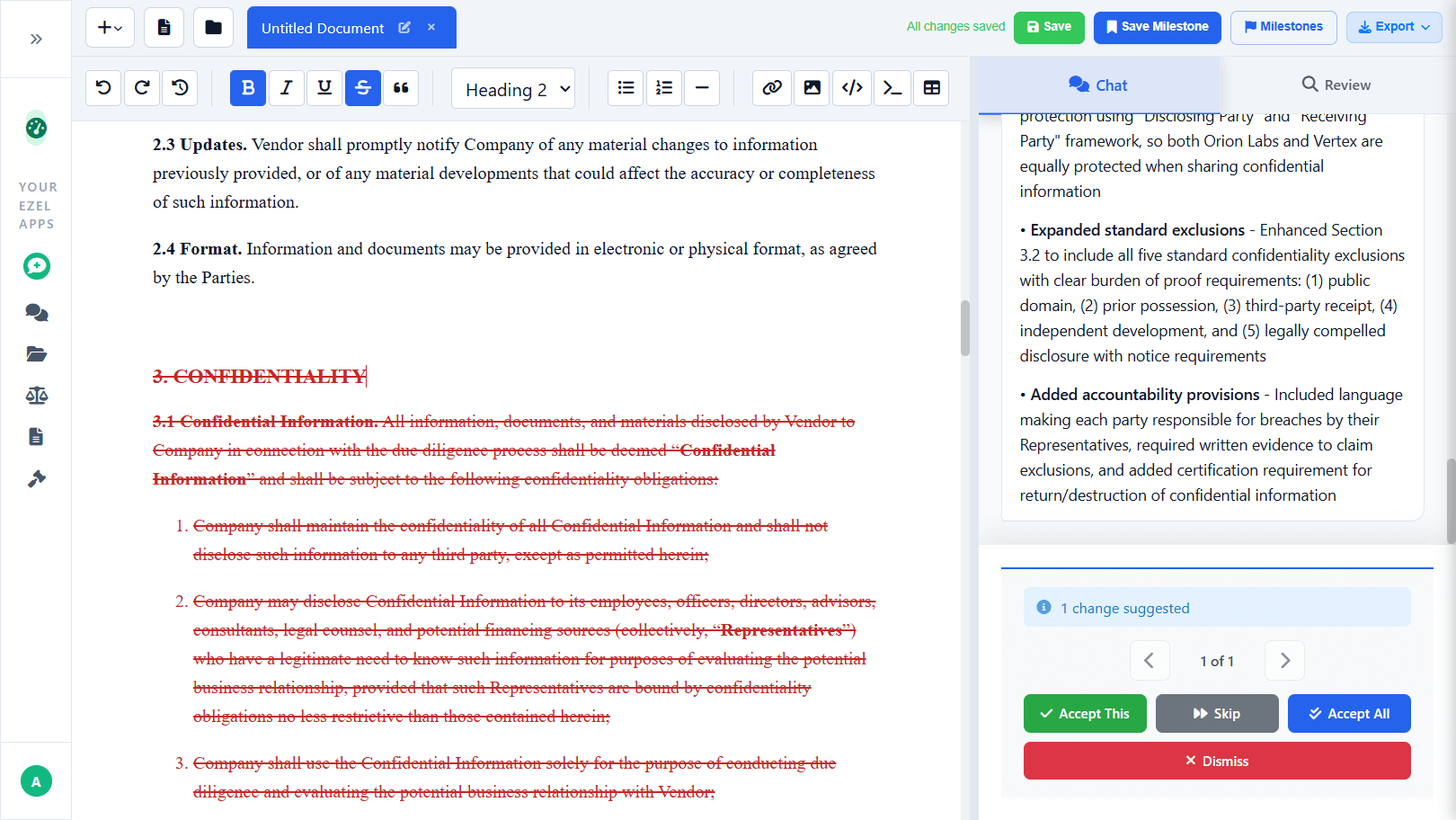
Each refinement takes seconds. The AI edits the document while you watch. You can see exactly what changed and accept or reject each modification.
Step 5: Check Your Citations
This step is non-negotiable. Every citation in your brief must be verified before filing. Attorneys have been sanctioned for submitting briefs with fabricated citations — don't join them.
For each case you cite, verify five things:
- Does it exist? Confirm the citation resolves to an actual opinion.
- Is the quote accurate? If you're quoting language, check it verbatim against the source.
- Does it support your point? Read enough to confirm the case actually says what you're claiming.
- Is it still good law? Check for reversals, overrulings, or negative treatment that undermines its authority.
- Is the format correct? Proper Bluebook citation format matters for credibility with the court.
AI citation checking tools can automate much of this, flagging issues with color-coded results — green for verified, yellow for caution, red for problems. But automated checking supplements your review; it doesn't replace it. Read the key cases yourself.
Step 6: Create a Milestone and Share
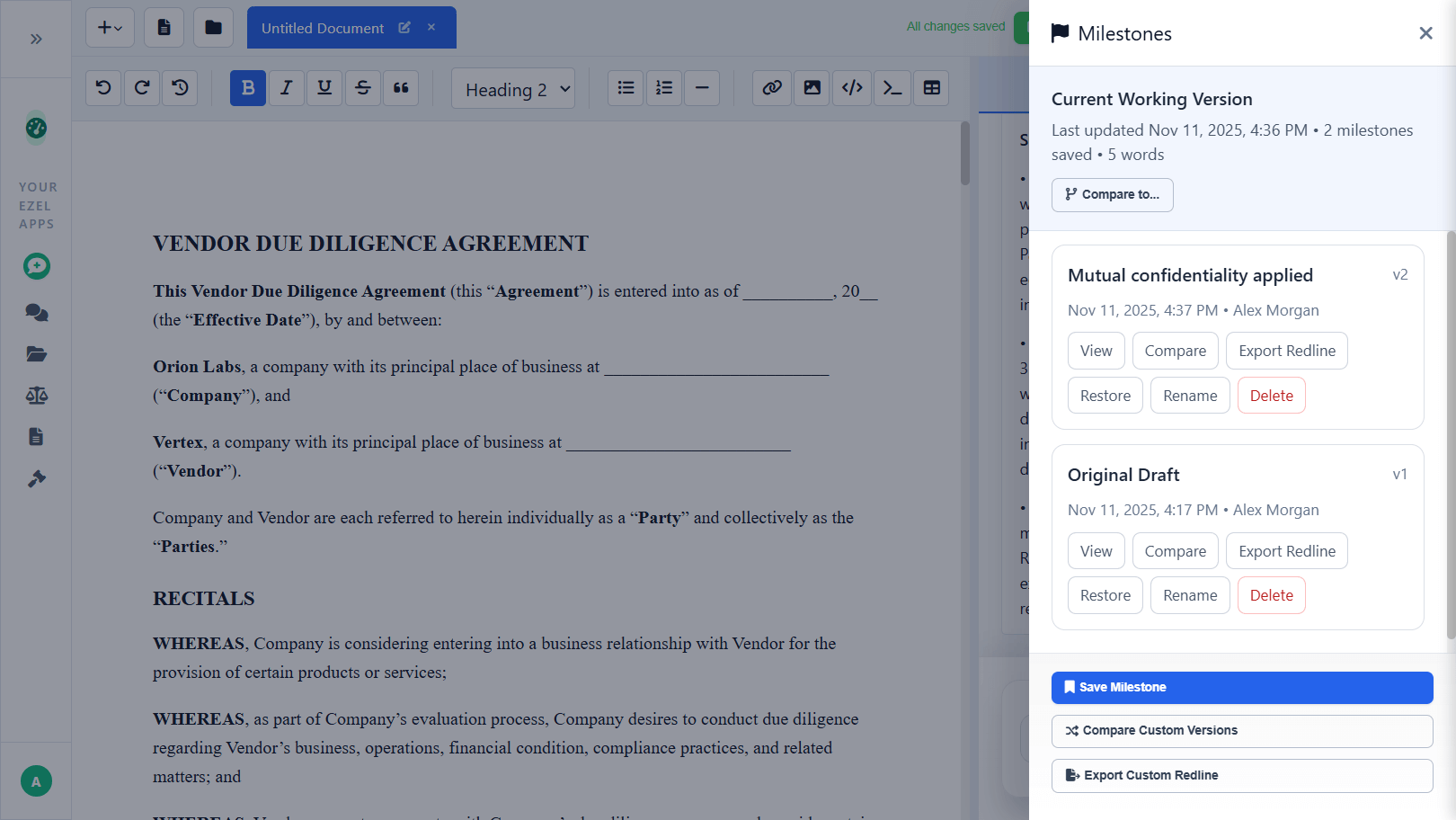
Before sending the draft for review, save a milestone: "First Draft for Partner Review." This creates a snapshot you can compare against later.
Share the document with the reviewing partner inside your workspace. They make their edits directly. You see exactly what changed — no more emailing Word documents back and forth and wondering which version has the latest comments.
After the partner's review, make the requested changes. Save another milestone: "Post-Partner Review." Now you have a clean version history showing the document's evolution.
Step 7: Export and File
When the motion is ready:
- Export as Word (.docx) for courts that accept electronic Word filings
- Export as PDF for courts that require PDF submissions
- Export a redline if you need to show changes from a previous version (e.g., for co-counsel review)
The exported document is properly formatted, ready to file. No last-minute formatting battles with Word. No converting from one format to another and losing your styling.
Assign the motion, your research, and all related conversations to the matter. Six months from now when you're preparing for oral argument or responding to the opposition brief, everything is organized and searchable.
Putting It Together: The Timeline
| Step | Traditional Process | AI-Assisted |
|---|---|---|
| Read complaint, identify grounds | 15 minutes | 15 minutes |
| Legal research | 2-3 hours | 20-30 minutes |
| First draft | 2-4 hours | 15-20 minutes |
| Refine and polish | 1-2 hours | 30-45 minutes |
| Citation checking | 30-60 minutes | 15-20 minutes |
| Formatting and export | 20-30 minutes | 2 minutes |
| Total | 6-10 hours | 1.5-2.5 hours |
The time you save isn't wasted time. It's time you can spend on the strategic thinking that actually wins motions: understanding the judge's tendencies, anticipating the opposition's response, or advising your client on the implications of the ruling either way.
Common Mistakes That Lose Motions
Even with faster drafting, substance still wins. Avoid these:
Arguing facts outside the complaint. At the motion to dismiss stage, you're limited to the four corners of the complaint (plus any documents incorporated by reference). Save your factual arguments for summary judgment.
Ignoring well-pleaded facts. You can't simply deny the plaintiff's allegations. You must show that even accepting those facts as true, the legal claim fails. This is the discipline of a good 12(b)(6) motion.
Filing when you should wait. Sometimes the complaint is technically sufficient but the facts won't survive discovery. A premature motion to dismiss that gets denied can set a negative tone with the judge. Consider whether summary judgment is the better vehicle.
Neglecting the standard of review. Courts apply Twombly/Iqbal plausibility in federal court, but state courts may apply different standards. Make sure you're briefing the right test for your forum.
Burying your best argument. Lead with strength. If you have one compelling ground for dismissal and two marginal ones, don't bury the strong argument on page 15. Put it first. Make it impossible to miss.
The Difference This Makes
Drafting a motion to dismiss used to mean blocking out a full day — sometimes two — of focused work. Research alone could consume a morning. The drafting process meant starting from an old template and rewriting most of it. Citation checking was manual and tedious.
When research, drafting, refinement, citation verification, version control, and export happen in one integrated workflow, the bottleneck shifts from production to strategy. You spend less time typing and more time thinking about what will actually persuade the judge.
That's the real advantage. Not just faster drafting, but better motions — because you have time to think.
Need to draft a motion to dismiss? Try Ezel and take it from research to filing-ready brief in one workspace.