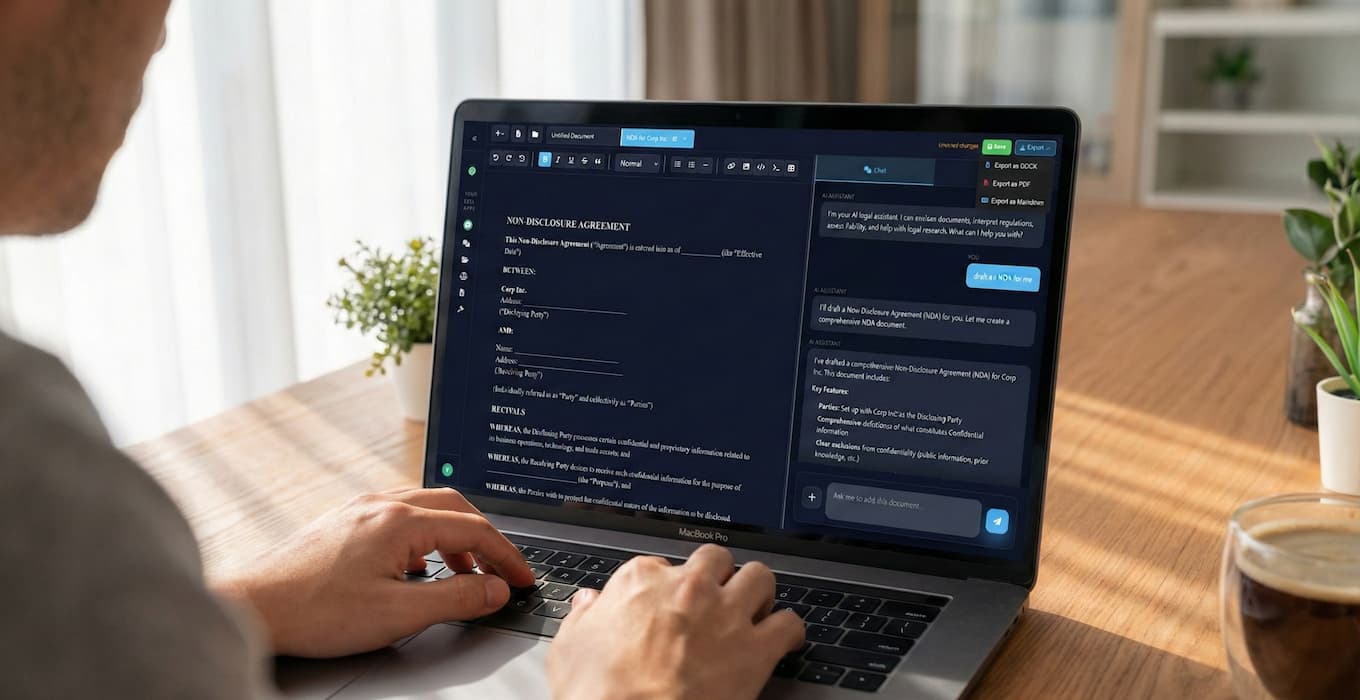
The promise of AI in legal practice is simple: spend less time on routine drafting, more time on strategy and client service. But the reality often falls short because most attorneys approach AI tools wrong.
This guide shows you the workflow that actually works. By the end, you'll understand how to turn hours of document drafting into minutes of focused work.
The Old Way vs. The New Way
Traditional document drafting:
1. Search your files for a similar document
2. Copy it and start modifying
3. Rewrite sections that don't apply
4. Research specific clauses you need
5. Draft new language from scratch
6. Review for consistency
7. Fix formatting issues
8. Repeat for every document
Total time: 2-6 hours depending on complexity.
AI-assisted drafting:
1. Start with your requirements
2. Let AI generate a structured first draft
3. Review and refine with specific instructions
4. Finalize and export
Total time: 15-45 minutes for most documents.
The difference isn't just speed. It's the quality of your attention. Instead of typing boilerplate, you're reviewing substance. Instead of searching for templates, you're focusing on what makes this matter unique.
The Three-Phase Workflow
Effective AI drafting follows three phases: Prime, Generate, Refine. Each phase has specific techniques that produce better results.
Phase 1: Prime
Before you ask the AI to draft anything, set up the context. This takes two minutes but saves twenty.
Tell the AI what you need:
- Document type (contract, motion, letter, agreement)
- Jurisdiction (state law matters for many documents)
- Parties and their relationship
- Key terms or requirements
- Anything unusual about this situation
Example prompt:
"I need to draft a mutual NDA between my client (a tech startup in California) and a potential investor (Delaware corporation). Standard terms, but my client wants a 3-year confidentiality period and carve-outs for information that becomes public. The investor will likely want the right to share with their portfolio companies."
This context helps the AI generate relevant content from the start. Skip it, and you'll spend more time correcting assumptions.
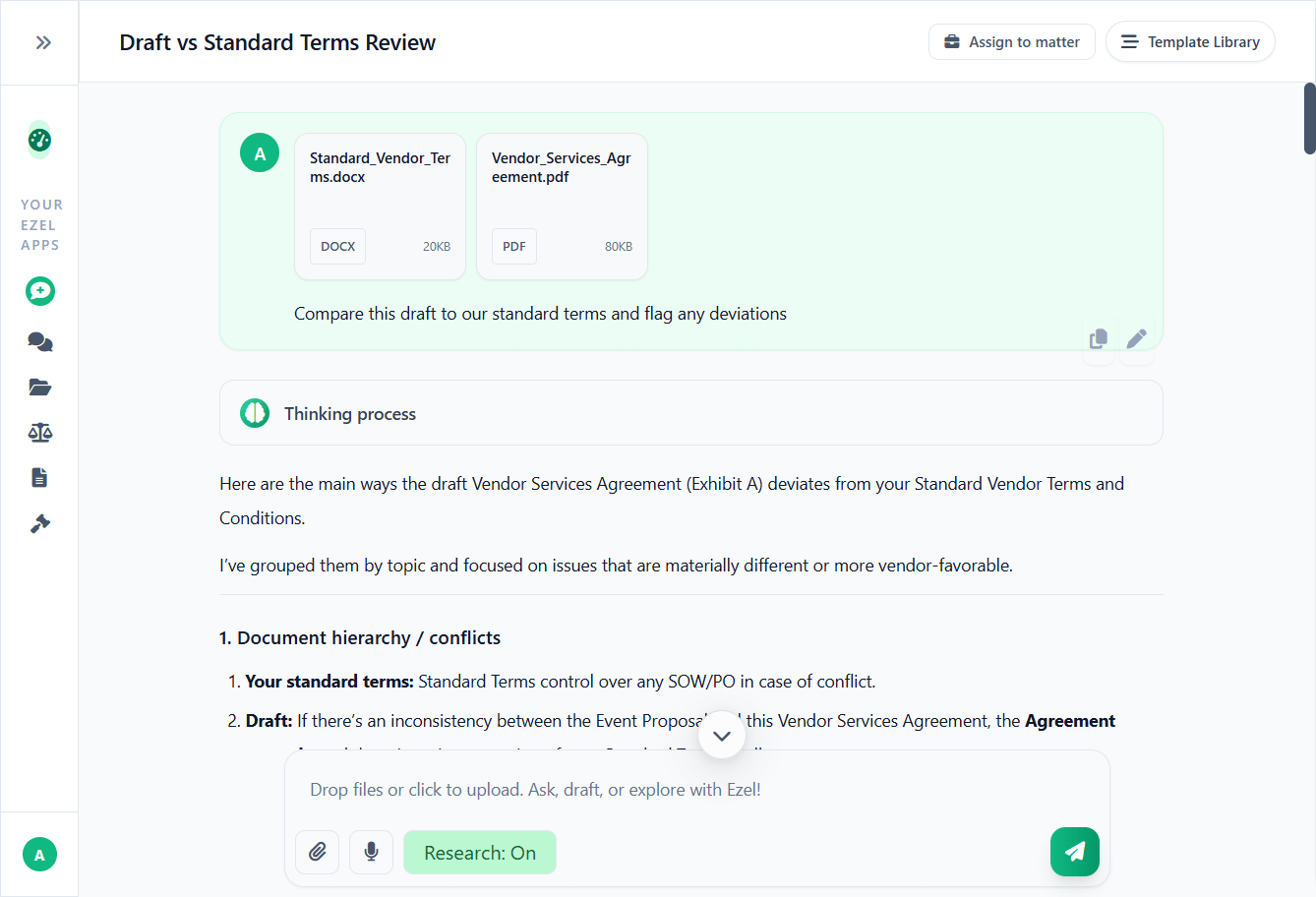
Attach reference documents when helpful:
If you have a preferred template or a document the other side sent, attach it. The AI can work from your existing language rather than generating everything fresh.
Phase 2: Generate
With context established, ask for the first draft. Don't expect perfection. Expect a solid foundation you can build on.
Be specific about structure:
"Draft this NDA with the following sections: Definitions, Confidential Information, Exclusions, Permitted Disclosures, Term, Return of Materials, Remedies, and General Provisions."
Request jurisdiction-specific language:
"Include a choice of law provision selecting California law and a forum selection clause for Santa Clara County courts."
Ask for alternatives when appropriate:
"For the remedies section, give me two options: one with a standard injunctive relief clause and one with a liquidated damages provision."
The AI will generate a complete first draft. Review it for structure and major issues before moving to refinement.
Phase 3: Refine
This is where most attorneys underutilize AI. They treat the first draft as final, do all edits manually, and miss the efficiency gains.
Use natural language commands for revisions:
"In Section 3, add an exclusion for information that the receiving party can prove it already knew before disclosure."
"Strengthen the non-solicitation language. The current version only covers direct solicitation. Expand it to include indirect solicitation through third parties."
"Shorten the entire document. Remove redundant language while keeping all substantive provisions."
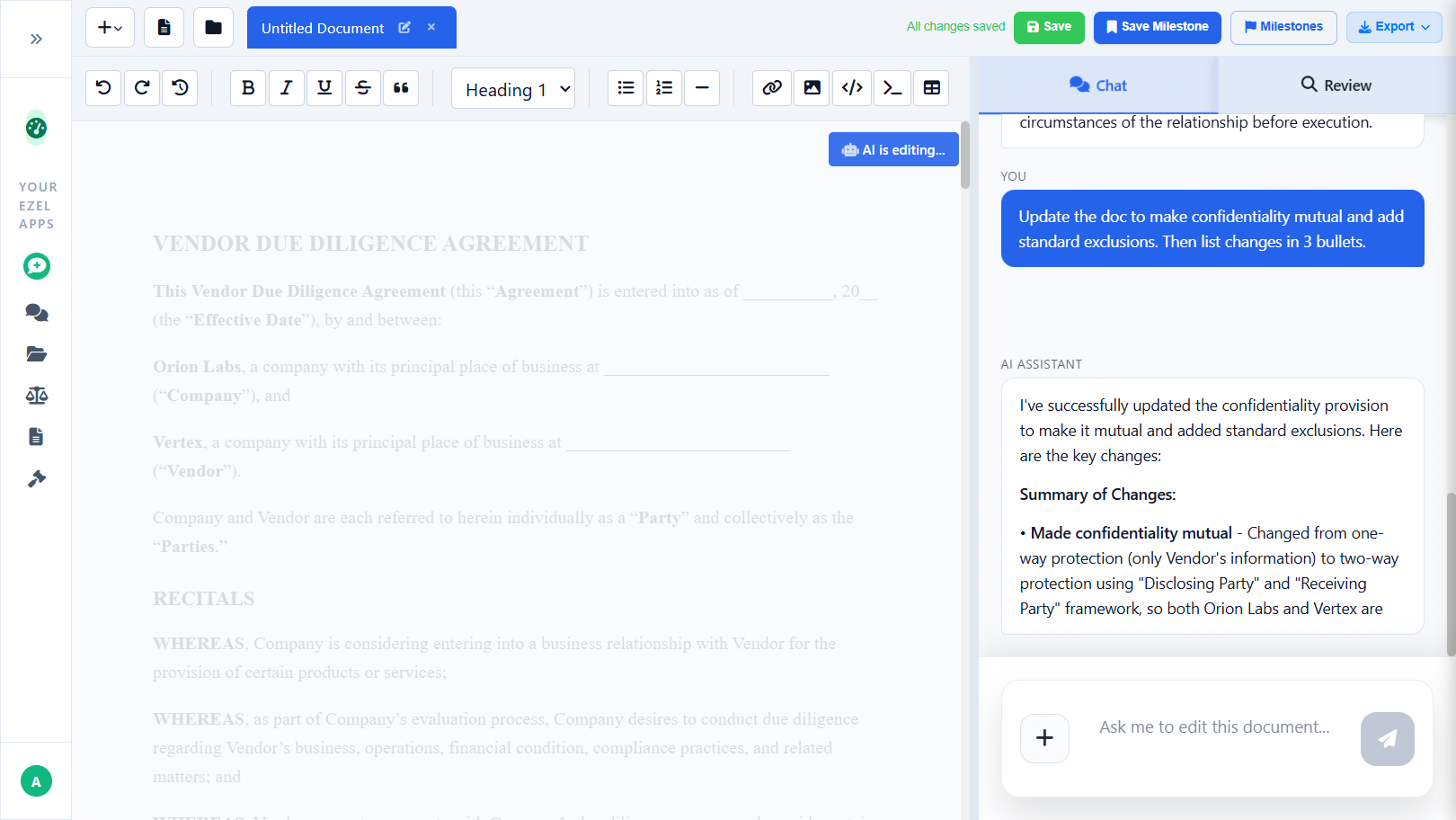
Review changes before accepting:
Good AI tools show you exactly what they're changing. Review each modification, understand the reasoning, and accept only what makes sense.
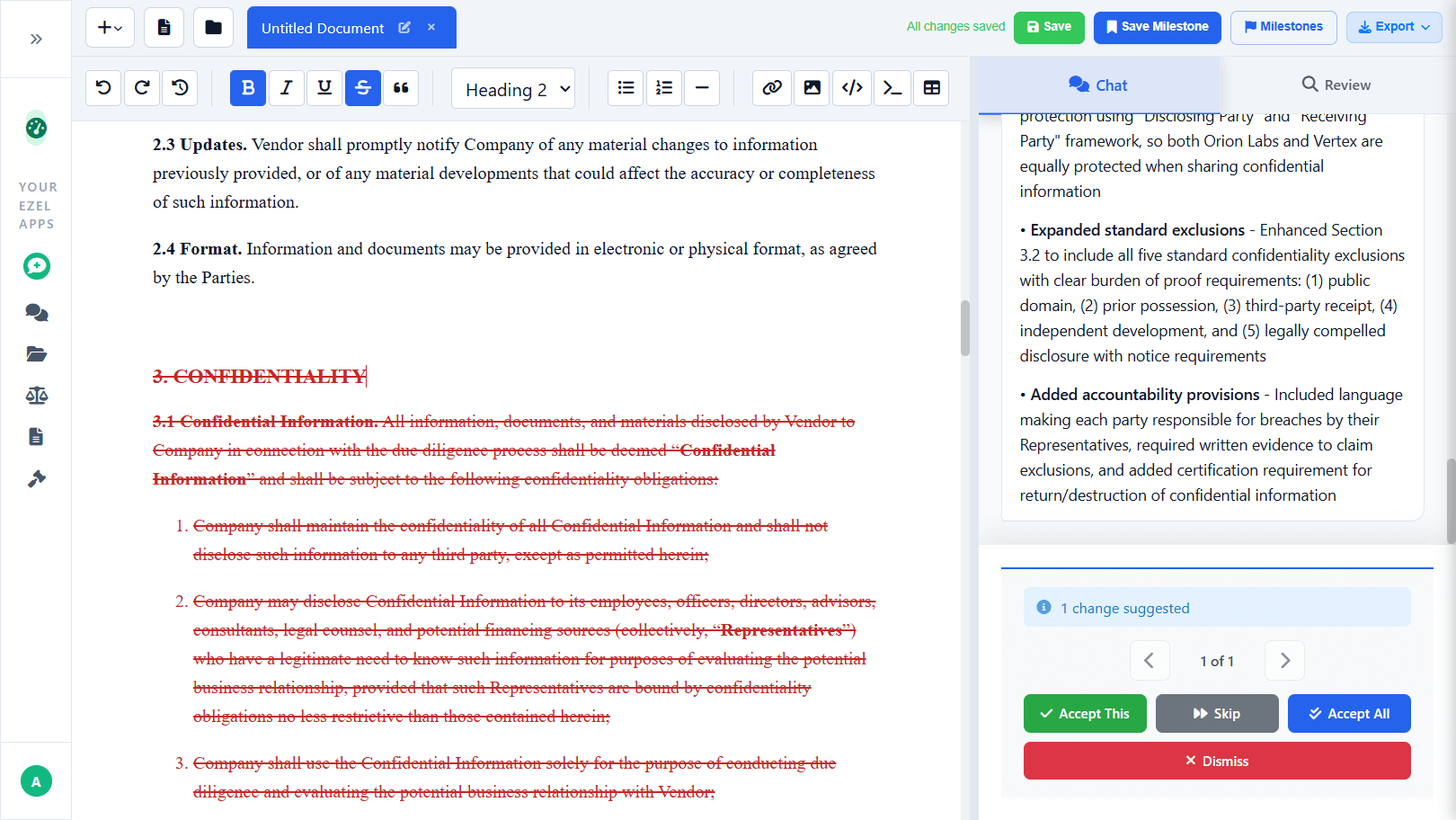
Iterate as needed:
Refinement isn't one step. Make a change, review the result, make another change. Each iteration improves the document. The key is that each iteration takes seconds, not the hours that manual revision requires.
Document Types and Timing
Different documents benefit differently from AI assistance. Here's what to expect:
Contracts (NDAs, service agreements, licenses)
Traditional time: 2-4 hours
AI-assisted time: 20-40 minutes
Contracts have standard structures and common clauses. AI excels at generating these quickly and customizing for specific requirements.
Motions and briefs
Traditional time: 4-8 hours
AI-assisted time: 1-2 hours
Research takes time regardless of tools, but AI can structure arguments, draft sections, and format citations efficiently. The attorney's role shifts to strategy and refinement.
Demand letters
Traditional time: 1-2 hours
AI-assisted time: 15-30 minutes
Straightforward documents with clear structures. AI handles the format while you focus on the facts and demands specific to your case.
Corporate formation documents
Traditional time: 2-3 hours per entity
AI-assisted time: 30-45 minutes
Operating agreements, bylaws, and resolutions follow predictable patterns. AI generates appropriate provisions based on entity type and jurisdiction.
Real estate documents
Traditional time: 2-4 hours
AI-assisted time: 45 minutes to 1 hour
Leases, purchase agreements, and addenda have standard components that AI handles well. Property-specific details require attorney attention.
Common Mistakes to Avoid
Mistake 1: Treating AI as a typing assistant
Don't dictate word-for-word what you want written. That's slower than typing it yourself. Instead, describe what you need and let the AI generate language.
Bad approach:
"Write: The Receiving Party agrees that it will not disclose any Confidential Information to any third party..."
Better approach:
"Add a standard non-disclosure obligation requiring the receiving party to protect confidential information and prohibiting disclosure to third parties without prior written consent."
Mistake 2: Accepting first drafts without review
AI generates plausible language quickly. That doesn't mean every word is right for your situation. Always review for:
- Accuracy of legal standards
- Consistency with client objectives
- Appropriate tone and formality
- Missing provisions specific to your matter
Mistake 3: Ignoring version control
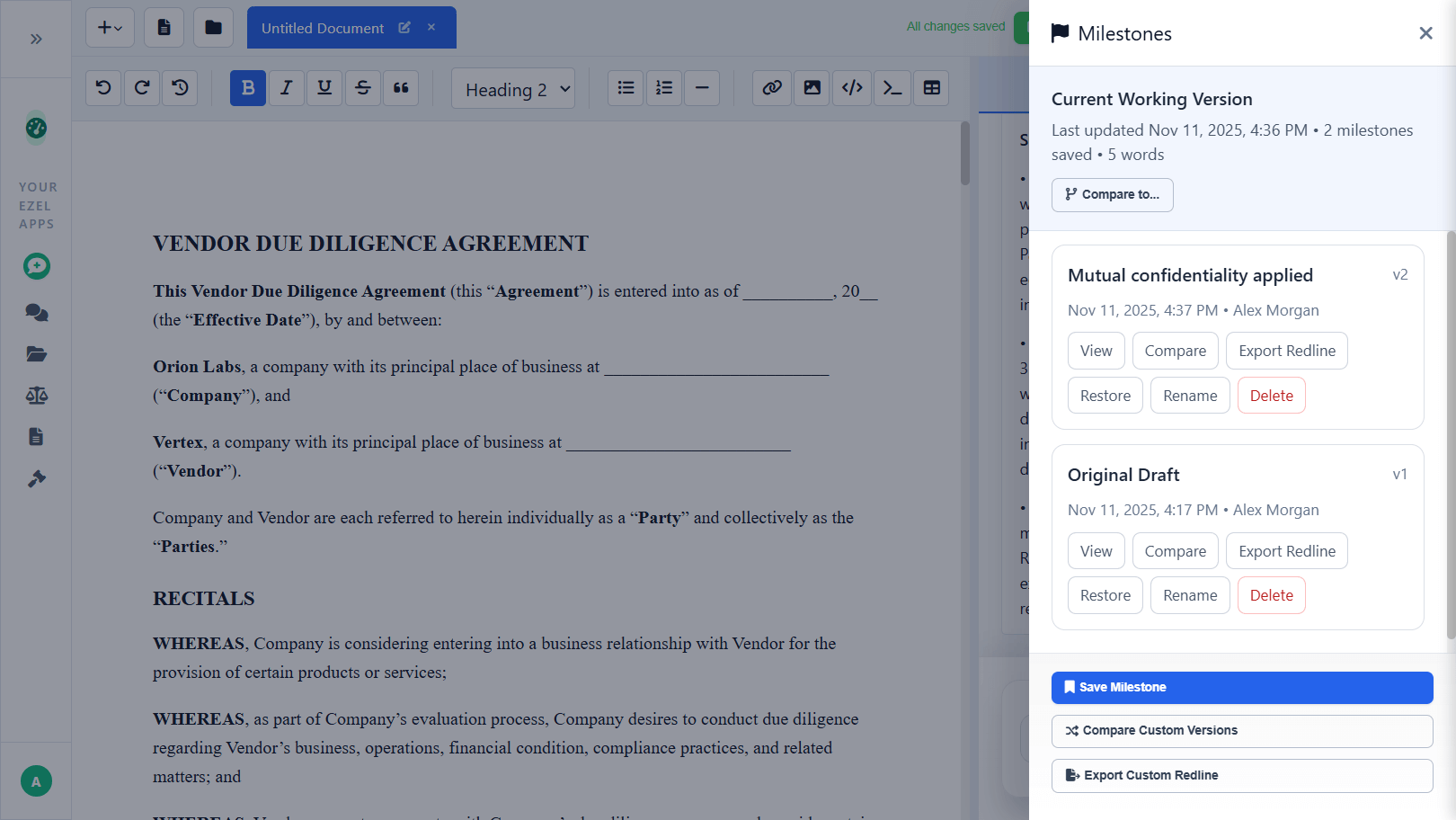
When AI helps you iterate quickly, it's easy to lose track of changes. Save milestones at key points: after initial generation, after major revisions, before sending to the client.
Mistake 4: Not building on past work
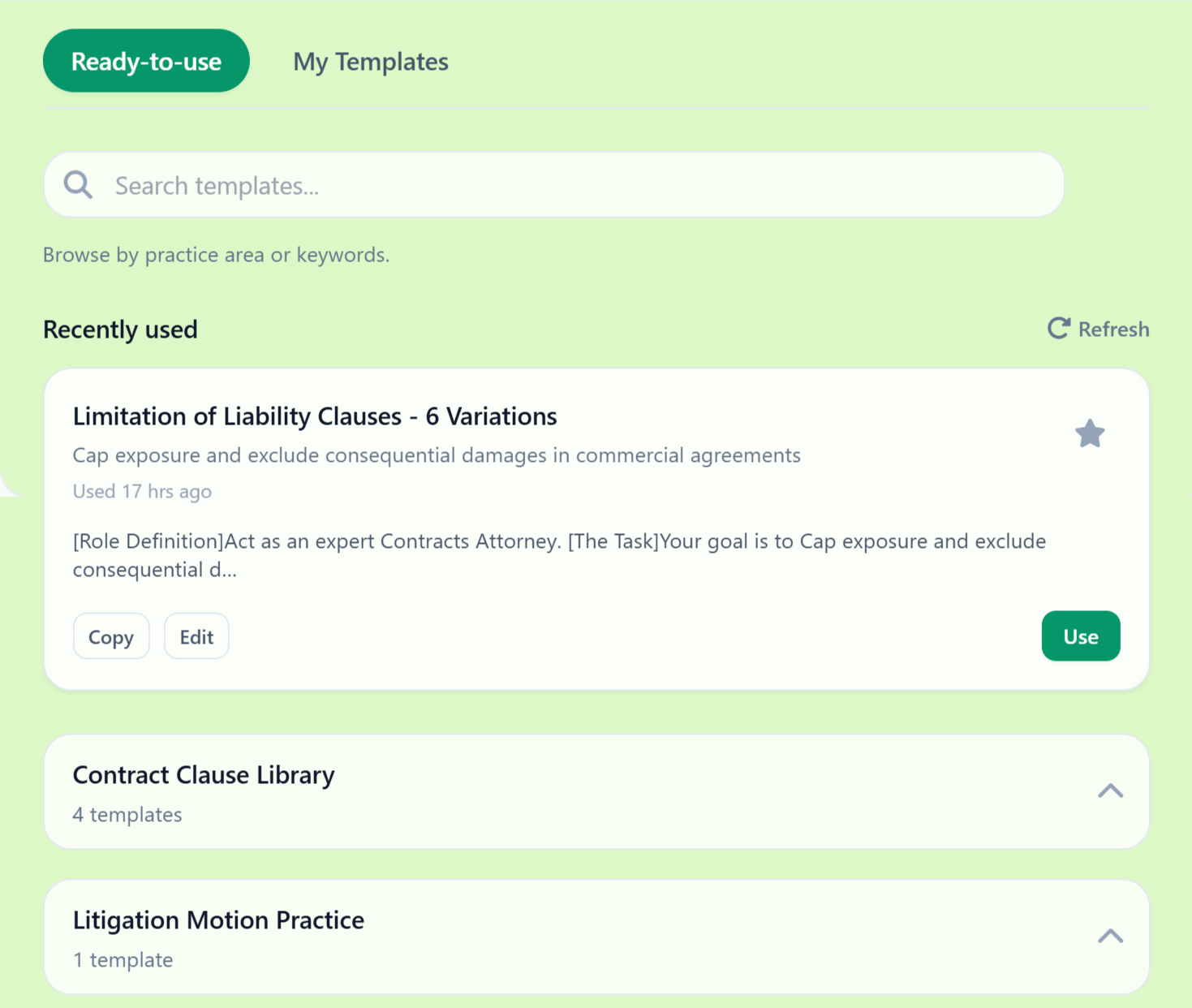
Your drafted documents become assets. Upload successful templates to your AI workspace. Reference past agreements when starting similar matters. Over time, you build a library that accelerates future work.
Making It Part of Your Practice
The attorneys who benefit most from AI drafting don't treat it as a special tool for special occasions. They integrate it into daily workflow.
Start every document with AI. Even simple documents benefit from a structured first draft. The habit builds fluency with the tools.
Use it for revisions, not just creation. Client sends back comments? Run them through AI for initial responses. Opposing counsel proposes changes? Have AI analyze their positions before you react.
Track your time savings. For the first month, note how long documents actually take versus your pre-AI estimates. The data helps justify continued investment and reveals which document types benefit most.
Share what works. If you develop effective prompts or workflows, document them. What works for an NDA this week can work for every NDA going forward.
The Shift in Your Practice
When drafting takes minutes instead of hours, something interesting happens to your practice. You have capacity you didn't have before.
That capacity can become:
- More client communication
- Deeper strategic thinking
- Additional matters you can handle
- Time away from work
The choice is yours. But the option only exists if you stop spending half your day on work that AI can accelerate.
The tools exist. The workflow is straightforward. The only question is whether you'll start.
Ready to see document drafting in minutes? Try Ezel and experience the workflow described in this guide.