Most legal AI lives behind its own login. You open the app, do your work, and close the tab. The moment you want that same capability somewhere else, in the assistant you already talk to all day or in a script that runs overnight, you hit a wall.
We just took that wall down. Ezel now speaks two open standards: the Model Context Protocol (MCP) and a plain REST API. That means you can use your Ezel matters, your documents, and U.S. case law research from inside Claude, Cursor, Claude Code, and ChatGPT, or from your own code. One credential works for all of it.
Here is what that actually looks like, and how to turn it on.
What MCP Is, in One Paragraph
MCP is a standard way for AI assistants to connect to outside tools. When you add a connector, the assistant can see a small menu of actions that tool exposes and call them on your behalf, with your permission. Think of it like giving Claude a set of buttons labeled "list my matters" or "search case law," then letting it press the right one when your question calls for it. You stay in the conversation you were already having. Ezel does the legal work in the background and hands back a grounded answer.
What You Can Do From Another Tool
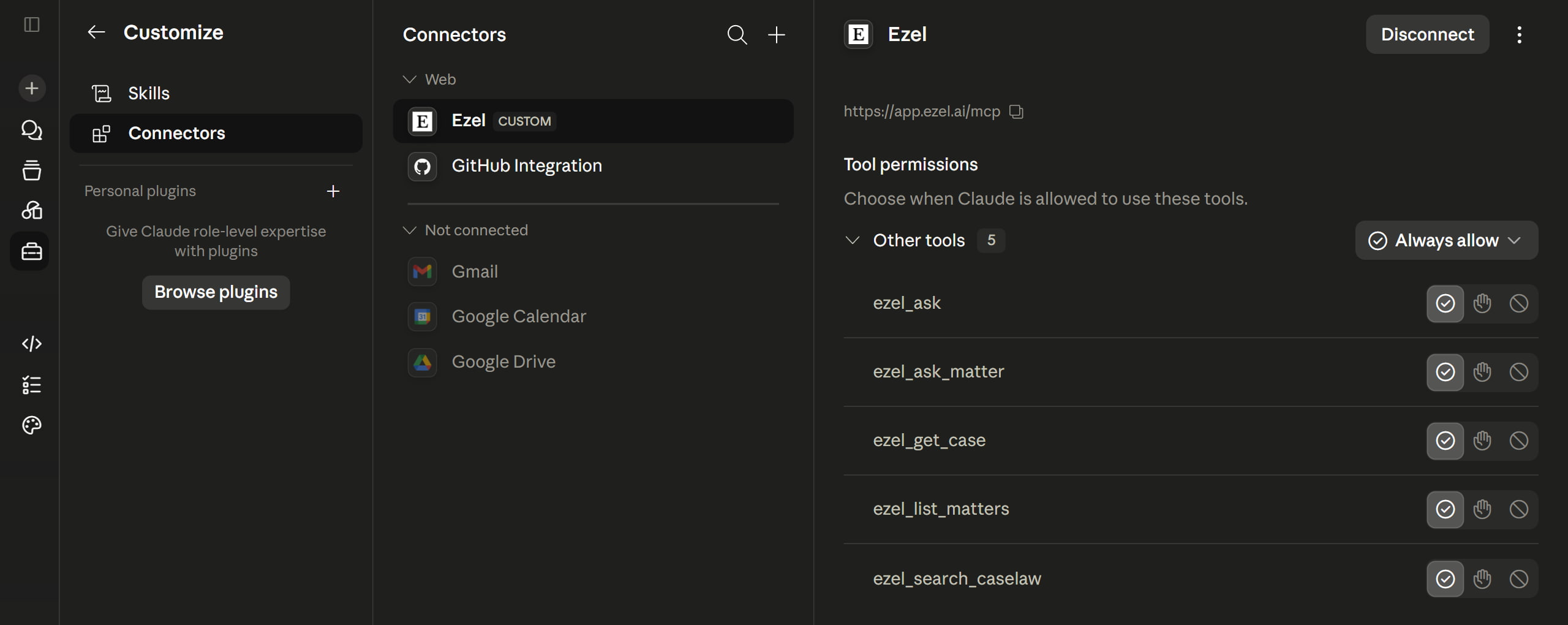
The Ezel connector exposes five actions, all read and query only, so nothing gets changed in your account without you doing it yourself in the app:
- List your matters. Pull up your cases and projects, with document counts, so the assistant knows what it is working with.
- Ask over a matter's documents. Get a cited answer drawn only from the files in one specific matter. Nothing leaks in from elsewhere.
- Ask a general legal question. A cited answer using Ezel's research mode, including case law where it helps.
- Search U.S. case law. Real, citable opinions from CourtListener's 2+ million cases, ranked by relevance, with court, date, citation, and a link.
- Open a full opinion. Pull the complete text of a specific case to read or quote.
So inside Claude you can ask, "Search Ezel for California cases where a court granted a motion to compel after boilerplate objections, then summarize the three strongest," and Claude will call the case law tool, read the opinions, and answer with real citations. Or, "Using my Henderson matter, what indemnity obligations survive termination?" and it answers from that matter's documents alone.
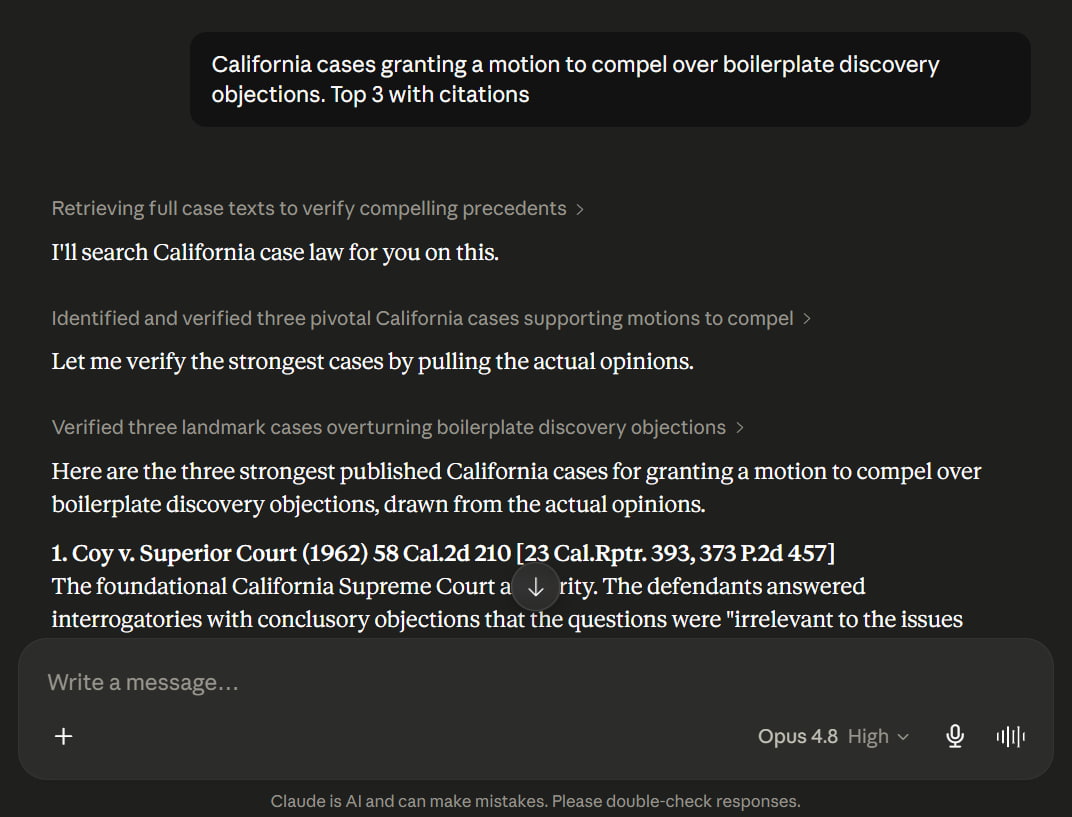
The assistant does the talking. Ezel does the legal grounding. You never copy a document into a chat box or paste a citation by hand.
Turning It On (Two Minutes)
Everything lives in one place: open Ezel, go to Settings, then the Connector and API tab.
For Claude (claude.ai or Desktop):
- In Claude, go to Settings, then Connectors, then Add custom connector.
- Paste your Ezel Server URL from the Connector tab.
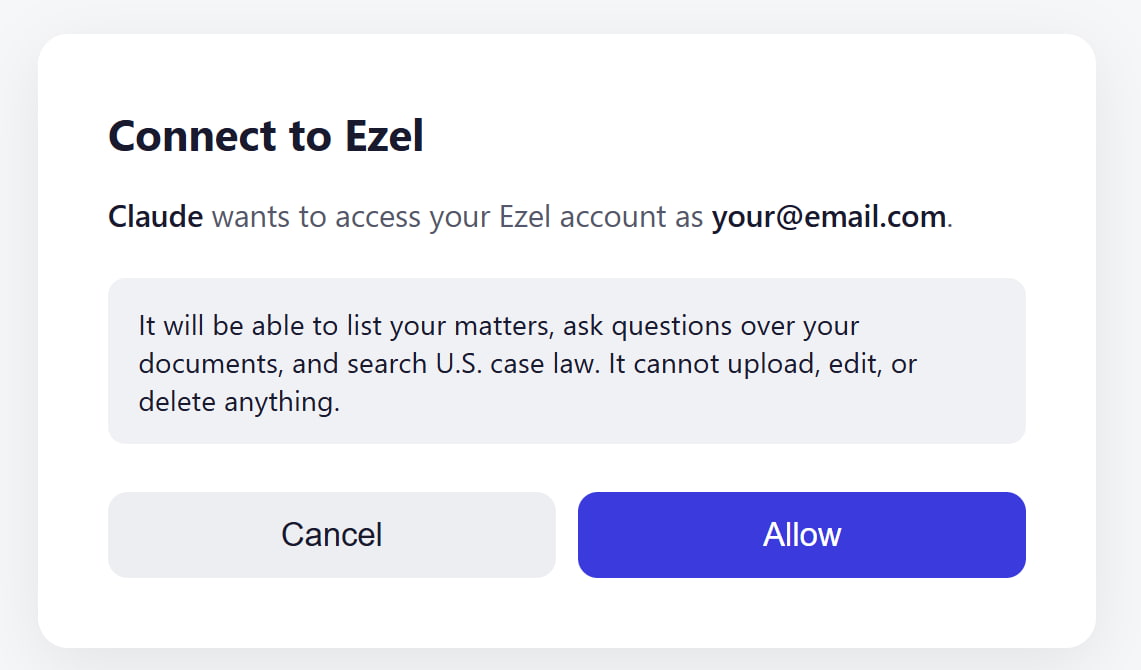
- Sign in to Ezel and click Allow.
That is it. Claude signs in over OAuth, so there is no key to copy or paste, and no secret sitting in a config file. The first time you connect, Ezel shows you exactly what you are approving and what it cannot do.
For Cursor, Claude Code, and other clients:
- Create an API key in the Connector tab.
- Add an MCP server pointing at the same Server URL.
- Send your key as a bearer token:
Authorization: Bearer YOUR_KEY.
The connector only ever shows a client the tools you actually have access to. If your plan or your firm's admin has not turned on a given app, it simply does not appear in the menu.
The REST API: Build Ezel Into Anything
MCP is for assistants. When you want to wire Ezel into your own software, a nightly script, an intake form, an internal dashboard, there is a REST API at /api/v1 that uses the same key.
A quick check that your key works:
curl https://app.ezel.ai/api/v1/whoami \
  -H "Authorization: Bearer YOUR_KEY"
The API covers more ground than the connector, because you are building, not just chatting:
- Matters. List, create, fetch, and delete matters.
- Files. Upload documents to a matter, list them, remove them.
- Ask. Cited answers, either general or scoped to one matter, with optional streaming so you can show the answer as it is written.
- In-matter search. Find terms or run a regular expression across a matter's documents.
- Case law. Search opinions and pull full case text.
- Review tables. Spin up a document review grid, ask a column of questions across a stack of files, and read back the filled answers. This is the one that turns a folder of contracts into a spreadsheet of answers while you do something else.
Keys carry read and write scopes, so you decide what each one can do. A key you drop into a read-only reporting script never needs write access. Every key is shown to you exactly once when you create it, and Ezel only ever stores a hash of it, so a leaked database row can never be turned back into a working key.
There is a full, public OpenAPI spec at /api/v1/openapi.json, so you can generate a client in your language of choice or load it straight into Postman.
One Rule Behind All of It
The connector and the API reuse the exact same internals as the Ezel web app, with the same per-app access your account already has. That is a deliberate design choice, not a detail. The API can never do something you could not already do yourself in the app. If you cannot see a matter in Ezel, no key can read it. If your admin has turned off case law for your seat, no script can search it. Access lives in one place, and these are just new doors into the same house.
It also means everything you already rely on still holds. Cited answers stay cited. Case law stays real, pulled from actual court opinions rather than generated. Your usage limits apply the same way they do in the browser.
A Few Things People Build First
- A research assistant in Claude. Ask legal questions in plain English and let Claude reach into Ezel for case law and for answers grounded in your own matter files.
- Automated intake. A form creates a matter, uploads the client's documents, and runs a first-pass review table, all before you have read the email.
- Bulk document review. Point a script at a matter, define your review questions once, and let review tables fill a grid across hundreds of files overnight.
- Your own tools, your own UI. Some firms want Ezel's research and drafting power inside an interface they control. The API makes that a weekend project instead of a rebuild.
Getting Started
- Open the Connector and API tab. Settings, then Connector and API. Your Server URL and key management are right there.
- Pick your path. Connect Claude over OAuth in two clicks, or create a key for Cursor, Claude Code, and your own code.
- Read the docs. Per-client setup and the full tool and endpoint reference live in the developer docs.
The point of Ezel has always been to put serious legal capability in front of everyone, not just the firms that can afford a research database the size of a salary. Opening it up over MCP and an API is the same idea, taken one step further: the work should come to where you already are.
Want Ezel inside the tools you already use? Try Ezel and connect it to Claude in two minutes.