Legal problems rarely arrive as one document. They arrive as a folder: three years of lease renewals, a stack of insurance letters, a dozen contracts with the same vendor, or a box of discovery you're supposed to make sense of by Friday.
Review Tables are built for that situation: ask a handful of specific questions once, and Ezel answers them for every document in the folder, showing exactly where each answer came from.
What a Review Table Is
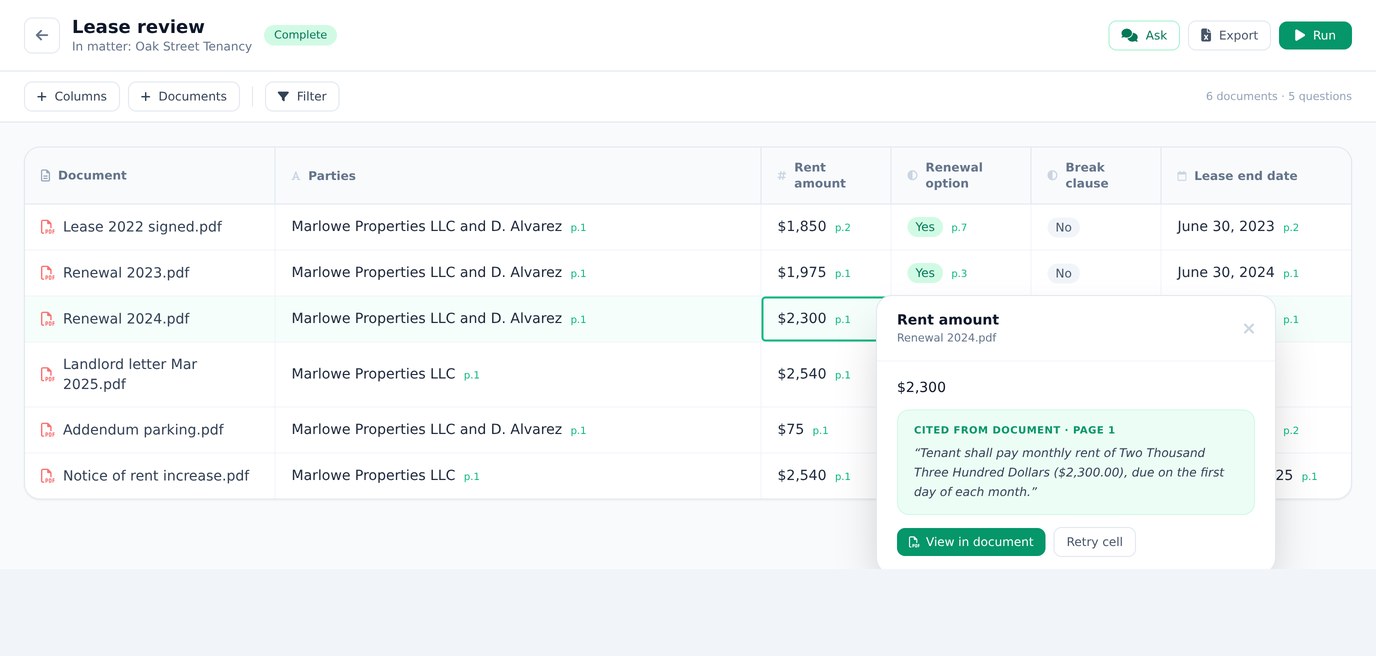
A Review Table is a grid inside your Ezel matter. Each row is one of your documents. Each column is a question you want answered. Each cell is the AI's answer for that document, together with the exact quote it relied on and the page it appears on.
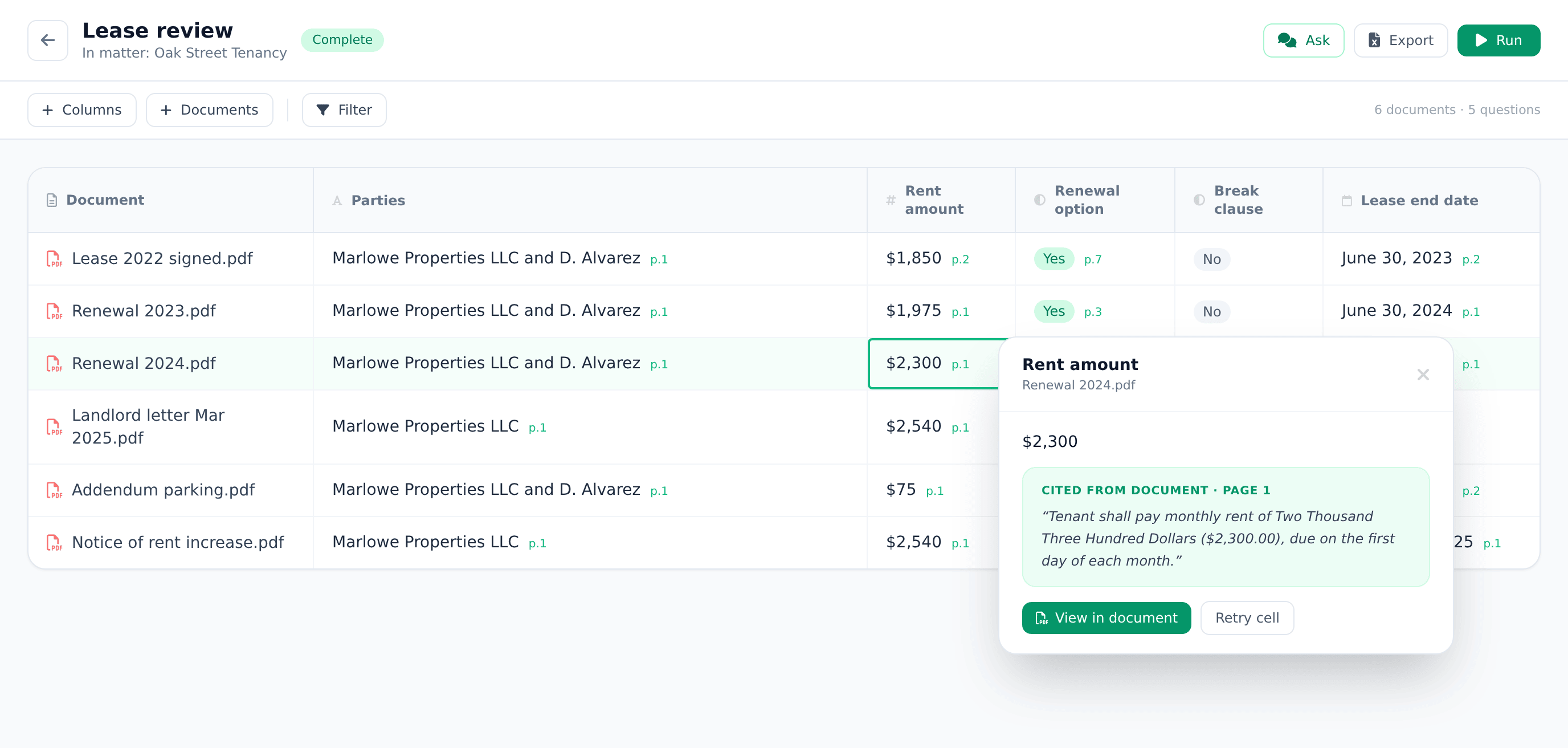
Ask "What is the rent amount?" across seven lease documents and you get seven answers in a column, each one anchored to a quoted line from that specific lease. Ask "Is there an early termination clause?" and you get a clean Yes or No for every document, again with the supporting quote.
Two things make this different from pasting documents into a chatbot:
- Every answer shows its work. Click any cell and Ezel opens the document and shows you the quoted passage, so you can confirm the answer with your own eyes. You stay the reviewer; the AI just does the finding.
- "Not found" is an honest answer. If a document doesn't address your question, the cell says so instead of guessing.
Ask Questions the Way You Think
Columns come in types, so answers arrive in the shape you need:
- Text for open questions ("What are the termination rights?")
- Yes / No for checks ("Is this NDA mutual?")
- Date for deadlines and effective dates
- Number for amounts like rent or fees
- Exact quote when you want the document's own words, verbatim
You can write questions yourself, describe what you're looking for and let the AI build the columns, or start from a one-click preset. There are presets for contract key terms, lease terms, NDA review, and case opinions, and you can edit any of them after they load.
A table holds up to 60 documents and 12 questions, which covers most real disputes with room to spare.
Add a Question Later Without Starting Over
Halfway through, you'll often realize there's a question you forgot to ask. Add the column and Ezel fills only the new cells; the answers you already have stay untouched, with no waiting for the whole grid to rebuild.
Ask Across the Whole Table
Once the grid is filled, you can ask questions about the table itself: "Which of these contracts can be assigned without consent?" or "Which leases end before December?" The answer cites the cells it drew from, so the chain from question to answer to source document never breaks.
Take It With You
When you're done, export the table to Excel. The export honors whatever sorting and filtering you have on screen, so the spreadsheet you download is the view you built, ready to share or file away.
Who This Is For
Document review problems show up well outside law offices:
- Tenants and landlords comparing terms across years of leases and renewal letters
- Anyone fighting an insurance claim who needs every deadline, exclusion, and dollar figure from a stack of correspondence in one place
- Freelancers and small businesses checking a batch of client contracts for the same handful of clauses
- Self-represented litigants who received discovery and need to know which documents mention what
- Small firms and solo attorneys running a first pass over a matter before the careful read
In every case the pattern is the same: you decide the questions, the AI fills the grid, and you verify the cells that matter before you rely on them.
How to Start
- Open a matter in Ezel (or create one) and upload your documents.
- Open the Review Tables card and create a table.
- Pick a preset or write your questions, then watch the grid fill.
Review Tables are available on every Ezel account within your plan's usage limits, so you can try one on a real folder before deciding anything. If document review becomes a regular part of your life, the Professional plan gives you ongoing access.
And if you'd rather drive it from code or from an AI assistant, the same feature is available through the Ezel API and MCP connector: create a table, define columns, and read back the filled answers from a script.
That's the whole feature: your documents, your questions, and a grid of answers you can verify cell by cell.