LAW FIRM DISASTER RECOVERY AND BUSINESS CONTINUITY PLAN
PLAN INFORMATION
| Field | Information |
|---|---|
| Law Firm Name | [________________________________] |
| Plan Version | [________________________________] |
| Effective Date | [__/__/____] |
| Last Updated | [__/__/____] |
| Next Review Date | [__/__/____] |
| Plan Owner | [________________________________] |
| Approved By | [________________________________] |
SECTION 1: PLAN OVERVIEW
1.1 Purpose
This Business Continuity and Disaster Recovery Plan establishes procedures to:
☐ Ensure continuity of essential legal services during emergencies
☐ Protect client data and confidential information
☐ Minimize disruption to client matters and deadlines
☐ Safeguard firm assets and resources
☐ Provide clear guidance for personnel during emergencies
☐ Meet ethical obligations to clients during disruptions
1.2 Scope
This plan covers:
☐ Natural disasters (earthquake, flood, fire, severe weather)
☐ Technology failures (system outages, data loss, cyberattacks)
☐ Facility emergencies (building damage, utility failure)
☐ Public health emergencies (pandemic, illness)
☐ Personnel emergencies (death, incapacity of key personnel)
☐ Civil disturbances and security threats
1.3 Recovery Objectives
| Objective | Target |
|---|---|
| Recovery Time Objective (RTO) | [____] hours |
| Recovery Point Objective (RPO) | [____] hours |
| Maximum Tolerable Downtime (MTD) | [____] hours |
| Minimum Business Continuity Objective | [________________________________] |
SECTION 2: EMERGENCY CONTACT INFORMATION
2.1 Disaster Recovery Team
| Role | Primary Contact | Phone | Alt. Phone | |
|---|---|---|---|---|
| Plan Coordinator | [____________] | [____________] | [____________] | [____________] |
| Managing Partner | [____________] | [____________] | [____________] | [____________] |
| IT Lead | [____________] | [____________] | [____________] | [____________] |
| Facilities Manager | [____________] | [____________] | [____________] | [____________] |
| HR Lead | [____________] | [____________] | [____________] | [____________] |
| Communications Lead | [____________] | [____________] | [____________] | [____________] |
| Finance Lead | [____________] | [____________] | [____________] | [____________] |
2.2 External Emergency Contacts
| Service | Provider | Phone | Account # |
|---|---|---|---|
| Police (Non-Emergency) | [____________] | [____________] | N/A |
| Fire Department | [____________] | [____________] | N/A |
| Building Management | [____________] | [____________] | [____________] |
| Alarm Company | [____________] | [____________] | [____________] |
| IT Support/MSP | [____________] | [____________] | [____________] |
| Insurance Agent | [____________] | [____________] | [____________] |
| Bank | [____________] | [____________] | [____________] |
| Landlord | [____________] | [____________] | [____________] |
| Electric Company | [____________] | [____________] | [____________] |
| Phone/Internet Provider | [____________] | [____________] | [____________] |
| Cloud Services Provider | [____________] | [____________] | [____________] |
| Backup Data Vendor | [____________] | [____________] | [____________] |
| Backup Attorney | [____________] | [____________] | [____________] |
2.3 All Personnel Contact List
| Name | Position | Cell Phone | Personal Email | Alt. Contact |
|---|---|---|---|---|
| [____________] | [____________] | [____________] | [____________] | [____________] |
| [____________] | [____________] | [____________] | [____________] | [____________] |
| [____________] | [____________] | [____________] | [____________] | [____________] |
| [____________] | [____________] | [____________] | [____________] | [____________] |
| [____________] | [____________] | [____________] | [____________] | [____________] |
| [____________] | [____________] | [____________] | [____________] | [____________] |
SECTION 3: RISK ASSESSMENT
3.1 Threat Analysis
| Threat | Likelihood (1-5) | Impact (1-5) | Risk Score | Mitigation Priority |
|---|---|---|---|---|
| Power Outage | [____] | [____] | [____] | [____________] |
| Network/Internet Failure | [____] | [____] | [____] | [____________] |
| Server/Hardware Failure | [____] | [____] | [____] | [____________] |
| Cyberattack/Ransomware | [____] | [____] | [____] | [____________] |
| Data Breach | [____] | [____] | [____] | [____________] |
| Fire | [____] | [____] | [____] | [____________] |
| Flood/Water Damage | [____] | [____] | [____] | [____________] |
| Severe Weather | [____] | [____] | [____] | [____________] |
| Earthquake | [____] | [____] | [____] | [____________] |
| Pandemic/Health Emergency | [____] | [____] | [____] | [____________] |
| Key Personnel Loss | [____] | [____] | [____] | [____________] |
| Building Inaccessibility | [____] | [____] | [____] | [____________] |
3.2 Business Impact Analysis
| Function | Critical Level | RTO | Dependencies | Impact of Loss |
|---|---|---|---|---|
| Client Communications | ☐ Critical ☐ Essential ☐ Important | [____] hrs | [____________] | [____________] |
| Court Filings/Deadlines | ☐ Critical ☐ Essential ☐ Important | [____] hrs | [____________] | [____________] |
| Document Access | ☐ Critical ☐ Essential ☐ Important | [____] hrs | [____________] | [____________] |
| ☐ Critical ☐ Essential ☐ Important | [____] hrs | [____________] | [____________] | |
| Phone System | ☐ Critical ☐ Essential ☐ Important | [____] hrs | [____________] | [____________] |
| Billing/Accounting | ☐ Critical ☐ Essential ☐ Important | [____] hrs | [____________] | [____________] |
| Trust Account Access | ☐ Critical ☐ Essential ☐ Important | [____] hrs | [____________] | [____________] |
| Calendar/Docketing | ☐ Critical ☐ Essential ☐ Important | [____] hrs | [____________] | [____________] |
SECTION 4: DATA BACKUP AND RECOVERY
4.1 Backup Configuration
| Data Type | Backup Method | Frequency | Location | Retention |
|---|---|---|---|---|
| Client Files | [____________] | [________] | [____________] | [________] |
| [____________] | [________] | [____________] | [________] | |
| Accounting Data | [____________] | [________] | [____________] | [________] |
| Practice Management | [____________] | [________] | [____________] | [________] |
| Document Management | [____________] | [________] | [____________] | [________] |
| Server Images | [____________] | [________] | [____________] | [________] |
4.2 Backup Verification
| Item | Verification Method | Frequency | Last Tested | Result |
|---|---|---|---|---|
| Full System Restore | [____________] | [________] | [__/__/____] | ☐ Pass ☐ Fail |
| File Recovery Test | [____________] | [________] | [__/__/____] | ☐ Pass ☐ Fail |
| Email Recovery Test | [____________] | [________] | [__/__/____] | ☐ Pass ☐ Fail |
| Database Recovery | [____________] | [________] | [__/__/____] | ☐ Pass ☐ Fail |
4.3 Offsite Storage
Primary Backup Location:
| Field | Information |
|---|---|
| Provider | [________________________________] |
| Address | [________________________________] |
| Contact | [________________________________] |
| Phone | [________________________________] |
| Access Credentials Location | [________________________________] |
Secondary Backup Location:
| Field | Information |
|---|---|
| Provider | [________________________________] |
| Address | [________________________________] |
| Contact | [________________________________] |
| Phone | [________________________________] |
| Access Credentials Location | [________________________________] |
SECTION 5: EMERGENCY RESPONSE PROCEDURES
5.1 Immediate Response (First 4 Hours)
Step 1: Assess the Situation
☐ Ensure safety of all personnel
☐ Evacuate if necessary
☐ Account for all employees
☐ Assess nature and extent of emergency
☐ Contact emergency services if needed
Step 2: Activate Disaster Recovery Team
☐ Contact Plan Coordinator
☐ Notify Managing Partner
☐ Convene emergency response team
☐ Establish command center
☐ Document all actions taken
Step 3: Initial Communications
☐ Send initial alert to all staff
☐ Establish communication method
☐ Provide safety/status updates
☐ Identify immediate needs
5.2 Short-Term Response (4-24 Hours)
Step 4: Assess Business Impact
☐ Determine extent of damage/disruption
☐ Identify affected systems and data
☐ Review upcoming deadlines (next 72 hours)
☐ Identify critical client matters
☐ Assess facility status
Step 5: Activate Continuity Measures
☐ Enable remote work capabilities
☐ Activate backup systems
☐ Redirect phone/communications
☐ Notify cloud service providers
☐ Engage IT support/MSP
Step 6: Client Communication
☐ Identify clients with imminent deadlines
☐ Contact clients regarding emergency
☐ Request deadline extensions if needed
☐ Document all client communications
5.3 Recovery Phase (24-72 Hours)
Step 7: System Recovery
☐ Restore data from backups
☐ Verify data integrity
☐ Test restored systems
☐ Resume essential operations
☐ Document recovery progress
Step 8: Business Resumption
☐ Establish temporary work location (if needed)
☐ Resume client work
☐ Address backlog items
☐ Reschedule appointments/hearings
☐ Notify courts/opposing counsel as needed
SECTION 6: SPECIFIC DISASTER SCENARIOS
6.1 Technology/System Failure
Immediate Actions:
☐ Report issue to IT Lead: [________________________________]
☐ Determine scope of failure
☐ Notify affected personnel
☐ Engage IT support provider
☐ Activate backup systems
Recovery Steps:
☐ Diagnose root cause
☐ Implement fix or workaround
☐ Restore from backup if needed
☐ Test restored systems
☐ Document incident
6.2 Cyberattack/Ransomware
Immediate Actions:
☐ Disconnect affected systems from network
☐ Do NOT pay ransom without proper consultation
☐ Contact IT security provider
☐ Preserve evidence
☐ Notify Plan Coordinator and Managing Partner
Notification Requirements:
☐ State bar notification (if required)
☐ Client notification (if data affected)
☐ Law enforcement notification
☐ Insurance carrier notification
☐ State data breach notification (if required)
6.3 Office Inaccessibility
Immediate Actions:
☐ Notify all personnel
☐ Activate remote work procedures
☐ Forward phones to alternate numbers
☐ Access cloud-based systems
☐ Identify alternate meeting locations
Alternate Work Locations:
| Location | Address | Capacity | Contact |
|---|---|---|---|
| [____________] | [________________________] | [____] | [____________] |
| [____________] | [________________________] | [____] | [____________] |
| [____________] | [________________________] | [____] | [____________] |
6.4 Key Personnel Incapacity
Immediate Actions:
☐ Notify firm leadership
☐ Review critical matters
☐ Identify coverage attorneys
☐ Access case files/passwords
☐ Contact clients regarding transition
Succession Contacts:
| Position | Backup Personnel | Contact |
|---|---|---|
| [____________] | [____________] | [____________] |
| [____________] | [____________] | [____________] |
| [____________] | [____________] | [____________] |
6.5 Pandemic/Extended Remote Work
Immediate Actions:
☐ Activate remote work policy
☐ Ensure VPN/remote access capability
☐ Distribute equipment as needed
☐ Establish communication protocols
☐ Review critical deadlines
Ongoing Operations:
☐ Daily check-ins with staff
☐ Virtual team meetings
☐ Document sharing protocols
☐ Client communication procedures
☐ Mental health resources
SECTION 7: CRITICAL INFORMATION ACCESS
7.1 Essential Credentials
Location of Credentials: [________________________________]
Access to Credential Information:
| Person | Access Level |
|---|---|
| [________________________________] | Full Access |
| [________________________________] | Full Access |
| [________________________________] | Limited Access |
7.2 Critical Systems Inventory
| System | Purpose | Vendor | Admin Contact | Login Location |
|---|---|---|---|---|
| Practice Management | [________] | [________] | [________] | [________] |
| Document Management | [________] | [________] | [________] | [________] |
| Accounting/Billing | [________] | [________] | [________] | [________] |
| Email/Calendar | [________] | [________] | [________] | [________] |
| Phone System | [________] | [________] | [________] | [________] |
| Court Filing (ECF) | [________] | [________] | [________] | [________] |
| Trust Account | [________] | [________] | [________] | [________] |
7.3 Key Client Information
High-Priority Matters with Imminent Deadlines:
| Client/Matter | Critical Deadline | Responsible Attorney | Backup |
|---|---|---|---|
| [____________] | [__/__/____] | [____________] | [____________] |
| [____________] | [__/__/____] | [____________] | [____________] |
| [____________] | [__/__/____] | [____________] | [____________] |
| [____________] | [__/__/____] | [____________] | [____________] |
SECTION 8: COMMUNICATION PLAN
8.1 Internal Communication
Primary Method: [________________________________]
Backup Method: [________________________________]
Emergency Notification System: [________________________________]
Communication Tree:
Plan Coordinator notifies:
- ☐ Managing Partner
- ☐ IT Lead
- ☐ HR Lead
Department Leads notify:
- ☐ All department personnel
8.2 Client Communication
Template Communications:
☐ Initial notification of emergency
☐ Status update template
☐ Resolution notification
Client Priority List:
| Priority | Client | Contact | Phone | |
|---|---|---|---|---|
| 1 | [____________] | [____________] | [____________] | [____________] |
| 2 | [____________] | [____________] | [____________] | [____________] |
| 3 | [____________] | [____________] | [____________] | [____________] |
8.3 External Communications
Courts/Tribunals:
☐ Motion for extension of deadlines
☐ Notification of emergency affecting pending matters
☐ Request for continuance
Opposing Counsel:
☐ Notification of emergency
☐ Request for stipulated extensions
SECTION 9: INSURANCE AND DOCUMENTATION
9.1 Insurance Coverage
| Coverage Type | Carrier | Policy # | Coverage Limit | Deductible |
|---|---|---|---|---|
| Property | [____________] | [____________] | $[________] | $[________] |
| Business Interruption | [____________] | [____________] | $[________] | $[________] |
| Cyber Liability | [____________] | [____________] | $[________] | $[________] |
| Professional Liability | [____________] | [____________] | $[________] | $[________] |
| General Liability | [____________] | [____________] | $[________] | $[________] |
9.2 Documentation Requirements
During Emergency:
☐ Incident log with timeline
☐ Photos/video of damage
☐ All communications
☐ Expenses incurred
☐ Business losses
Post-Incident:
☐ Incident report
☐ Lessons learned
☐ Plan updates needed
☐ Insurance claims
SECTION 10: PLAN TESTING AND MAINTENANCE
10.1 Testing Schedule
| Test Type | Frequency | Last Conducted | Next Scheduled | Responsible |
|---|---|---|---|---|
| Tabletop Exercise | Annual | [__/__/____] | [__/__/____] | [____________] |
| Backup Restore Test | Quarterly | [__/__/____] | [__/__/____] | [____________] |
| Communication Test | Semi-Annual | [__/__/____] | [__/__/____] | [____________] |
| Full Plan Exercise | Annual | [__/__/____] | [__/__/____] | [____________] |
10.2 Plan Maintenance
☐ Annual review and update
☐ Update after any organizational changes
☐ Update after any emergency incident
☐ Update after plan testing
☐ Distribute updated plan to all team members
10.3 Training Requirements
| Training | Audience | Frequency | Last Conducted |
|---|---|---|---|
| Plan Overview | All Staff | Annual | [__/__/____] |
| Role-Specific Training | DR Team | Annual | [__/__/____] |
| Emergency Procedures | All Staff | Annual | [__/__/____] |
| Cybersecurity Awareness | All Staff | Annual | [__/__/____] |
APPENDICES
Appendix A: Emergency Checklist Cards
(Wallet-sized quick reference cards for each team member)
Appendix B: Communication Templates
(Pre-drafted client, court, and staff communications)
Appendix C: Vendor Agreements
(Copies of critical vendor agreements and SLAs)
Appendix D: Floor Plans and Evacuation Routes
(Building layouts with marked exits and assembly points)
Appendix E: Equipment and Asset Inventory
(Detailed inventory of firm equipment and assets)
PLAN ACKNOWLEDGMENT
I acknowledge receipt of this Disaster Recovery and Business Continuity Plan and understand my role and responsibilities.
Name: [________________________________]
Position: [________________________________]
Signature: [________________________________]
Date: [__/__/____]
This plan should be reviewed and updated annually, tested at least annually, and updated whenever significant changes occur to firm operations, personnel, or technology systems.
Do more with Ezel
This free template is just the beginning. See how Ezel helps legal teams draft, research, and collaborate faster.
AI that drafts while you watch
Tell the AI what you need and watch your document transform in real-time. No more copy-pasting between tools or manually formatting changes.
- Natural language commands: "Add a force majeure clause"
- Context-aware suggestions based on document type
- Real-time streaming shows edits as they happen
- Milestone tracking and version comparison
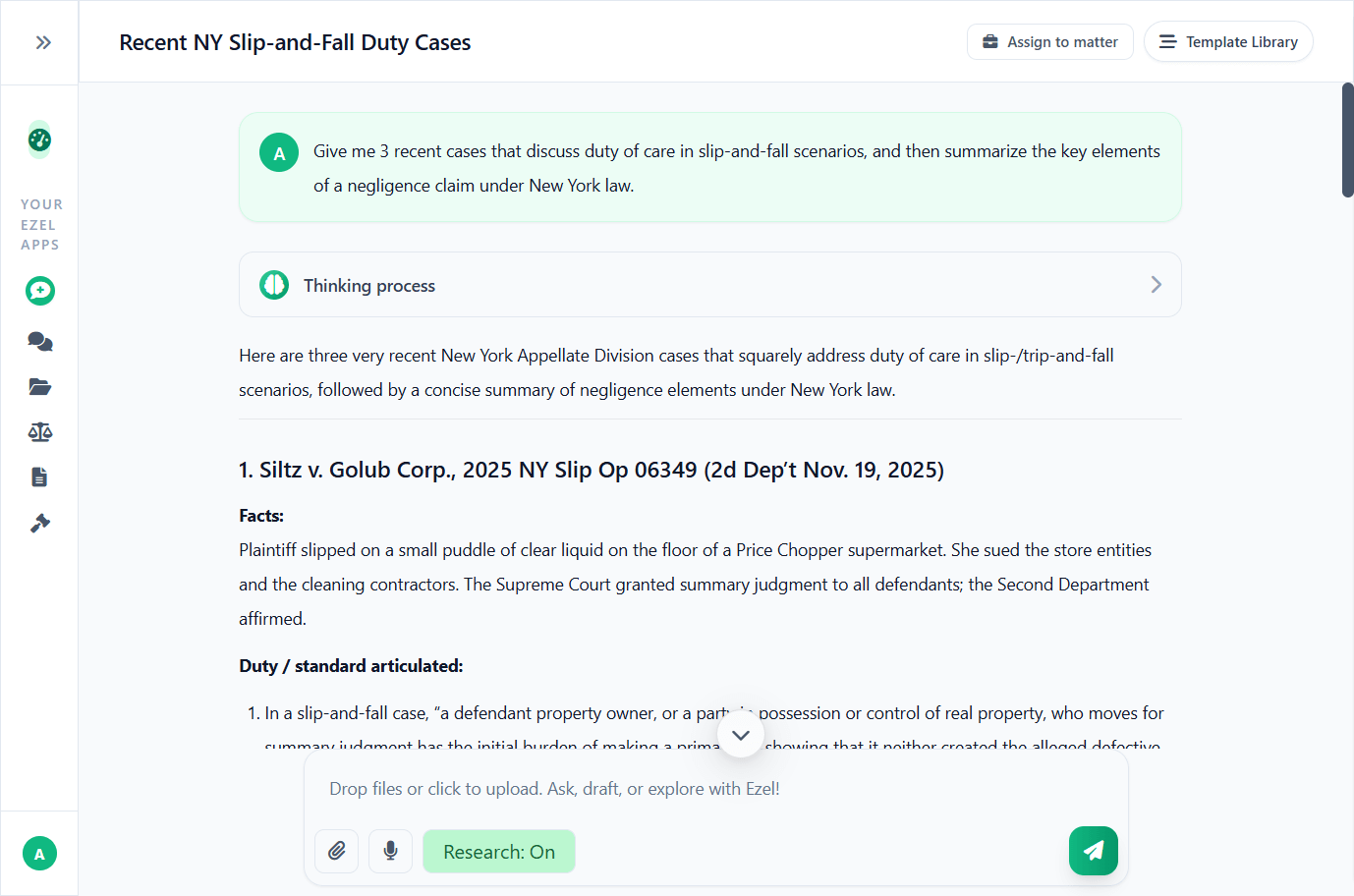
Research and draft in one conversation
Ask questions, attach documents, and get answers grounded in case law. Link chats to matters so the AI remembers your context.
- Pull statutes, case law, and secondary sources
- Attach and analyze contracts mid-conversation
- Link chats to matters for automatic context
- Your data never trains AI models
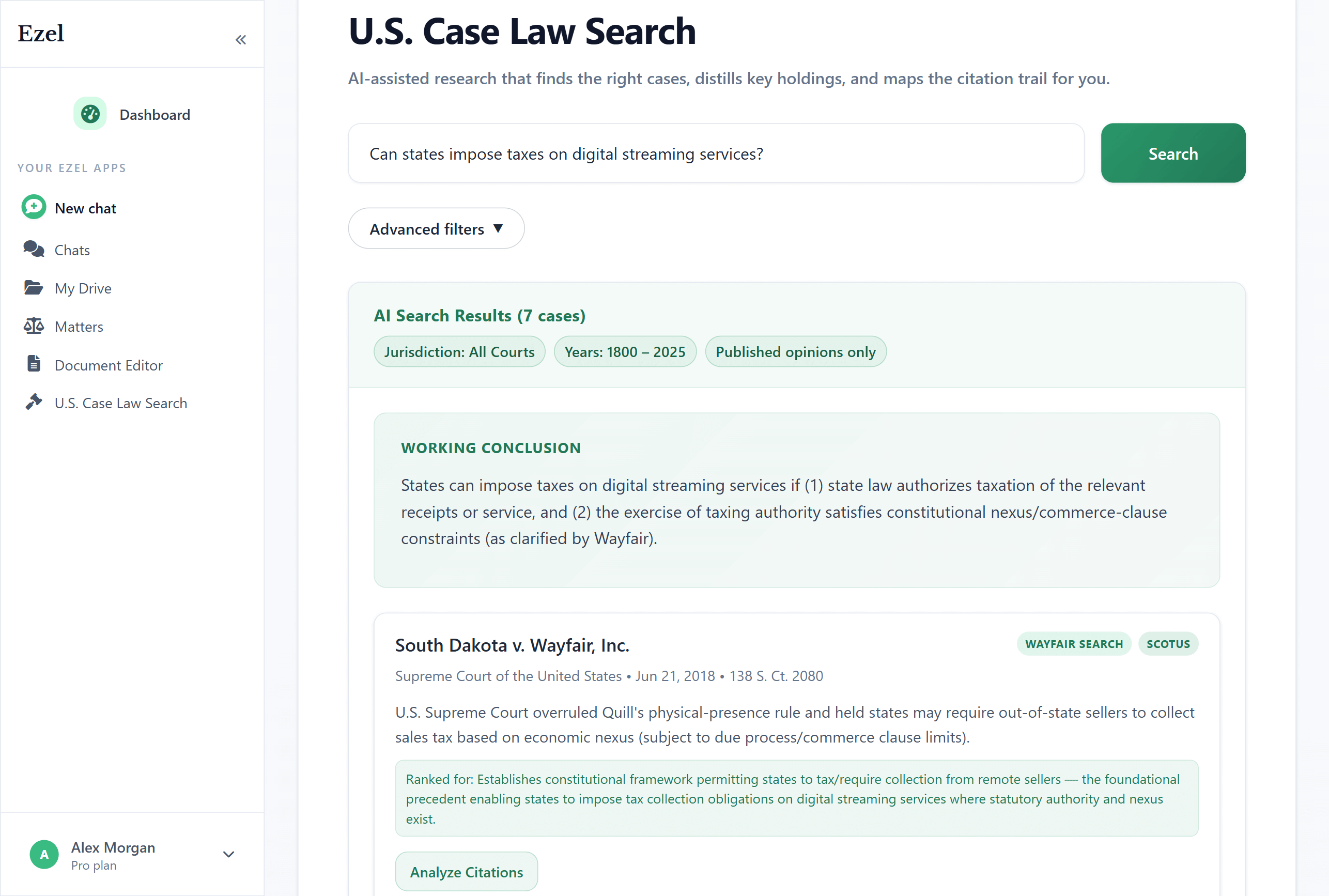
Search like you think
Describe your legal question in plain English. Filter by jurisdiction, date, and court level. Read full opinions without leaving Ezel.
- All 50 states plus federal courts
- Natural language queries - no boolean syntax
- Citation analysis and network exploration
- Copy quotes with automatic citation generation
Ready to transform your legal workflow?
Join legal teams using Ezel to draft documents, research case law, and organize matters — all in one workspace.