AI INCIDENT RESPONSE PLAN
[ORGANIZATION NAME]
DOCUMENT CONTROL
| Field | Information |
|---|---|
| Plan Owner | [NAME, TITLE] |
| Approved By | [NAME, TITLE] |
| Effective Date | [DATE] |
| Version | [VERSION] |
| Last Tested | [DATE] |
| Next Review | [DATE] |
1. INTRODUCTION
1.1 Purpose
This AI Incident Response Plan establishes procedures for detecting, responding to, and recovering from incidents involving artificial intelligence systems.
1.2 Scope
This Plan covers:
- All AI systems operated by [ORGANIZATION NAME]
- AI-specific incidents as defined in Section 2
- Integration with general incident response
1.3 Objectives
- Minimize harm from AI incidents
- Ensure rapid and effective response
- Meet regulatory notification requirements
- Learn and improve from incidents
- Maintain stakeholder trust
2. AI INCIDENT DEFINITION
2.1 What Constitutes an AI Incident
An AI incident is an event involving AI systems that:
☐ Causes harm to individuals or groups
- Physical, psychological, or financial harm
- Discrimination or unfair treatment
- Privacy violations
☐ Involves significant system failures
- Major accuracy degradation
- Widespread incorrect outputs
- System unavailability affecting operations
☐ Indicates security compromise
- Adversarial attacks
- Data poisoning
- Model theft or extraction
☐ Violates laws or policies
- Regulatory non-compliance
- Policy violations
- Ethical breaches
☐ Threatens organizational reputation
- Public incidents
- Media attention
- Stakeholder complaints
2.2 AI Incident Categories
| Category | Examples |
|---|---|
| Bias/Fairness | Discriminatory outcomes discovered, disparate impact, unfair treatment |
| Accuracy/Performance | Model failures, incorrect predictions, hallucinations causing harm |
| Safety | Harmful outputs, dangerous recommendations, physical safety risks |
| Security | Adversarial attacks, prompt injection, data breaches, model theft |
| Privacy | Unauthorized data exposure, re-identification, consent violations |
| Compliance | Regulatory violations, documentation failures, transparency failures |
| Ethical | Manipulation, autonomy violations, value alignment failures |
2.3 Severity Levels
| Level | Definition | Examples | Response Time |
|---|---|---|---|
| Critical | Ongoing significant harm; regulatory reporting required | Widespread discrimination, data breach, safety incident | Immediate |
| High | Potential for significant harm; urgent attention needed | Bias discovered, major system failure | 4 hours |
| Medium | Moderate impact; requires prompt attention | Performance degradation, isolated complaints | 24 hours |
| Low | Minor impact; routine handling | Minor accuracy issues, documentation gaps | 72 hours |
3. INCIDENT RESPONSE TEAM
3.1 AI Incident Response Team (AI-IRT)
| Role | Primary | Alternate | Contact |
|---|---|---|---|
| Incident Commander | [NAME] | [NAME] | [CONTACT] |
| AI Technical Lead | [NAME] | [NAME] | [CONTACT] |
| Legal/Compliance | [NAME] | [NAME] | [CONTACT] |
| Communications | [NAME] | [NAME] | [CONTACT] |
| Privacy Officer | [NAME] | [NAME] | [CONTACT] |
| Business Representative | [NAME] | [NAME] | [CONTACT] |
| Security Lead | [NAME] | [NAME] | [CONTACT] |
3.2 Roles and Responsibilities
Incident Commander:
- Overall incident management
- Resource coordination
- Decision authority
- External communication approval
AI Technical Lead:
- Technical investigation
- Root cause analysis
- Remediation implementation
- Technical recommendations
Legal/Compliance:
- Regulatory assessment
- Notification requirements
- Legal risk evaluation
- Documentation review
Communications:
- Internal communications
- External communications (with approval)
- Media management
- Stakeholder updates
Privacy Officer:
- Privacy impact assessment
- Data breach determination
- Privacy notifications
- Data subject rights
Business Representative:
- Business impact assessment
- Customer considerations
- Operational decisions
- Business continuity
Security Lead:
- Security incident aspects
- Forensics coordination
- Security controls
3.3 Escalation Matrix
| Severity | Notified Immediately | Notified Within 1 Hour | Notified Within 24 Hours |
|---|---|---|---|
| Critical | Incident Commander, AI Lead, Legal, Executive | Full AI-IRT, CISO, CEO | Board (if required) |
| High | Incident Commander, AI Lead | Legal, Privacy, Business | Executive |
| Medium | AI Lead | Business, Compliance | Incident Commander |
| Low | System Owner | AI Lead | As needed |
4. INCIDENT RESPONSE PHASES
4.1 Phase 1: Detection and Identification
Objectives:
- Identify potential incidents quickly
- Determine if AI-specific response needed
- Initial severity assessment
Detection Sources:
☐ Automated monitoring alerts
☐ User/customer reports
☐ Employee reports
☐ Third-party notifications
☐ Regulatory inquiries
☐ Media/social media
☐ Audit findings
☐ Periodic reviews
Initial Assessment Checklist:
☐ Is this an AI-related incident?
☐ What AI system(s) are involved?
☐ What is the apparent impact?
☐ Is harm ongoing?
☐ What is the initial severity?
☐ Who needs to be notified?
Actions:
1. Log incident in tracking system
2. Assign initial severity
3. Notify appropriate personnel
4. Preserve evidence
5. Begin documentation
4.2 Phase 2: Containment
Objectives:
- Stop ongoing harm
- Prevent incident expansion
- Preserve evidence
Containment Actions by Category:
| Category | Immediate Actions |
|---|---|
| Bias/Fairness | Flag affected decisions for review; consider pausing system; notify affected teams |
| Accuracy | Enable human review; reduce automation; alert users |
| Safety | Disable harmful functionality; implement warnings; escalate to safety team |
| Security | Isolate system; revoke compromised access; engage security team |
| Privacy | Stop further exposure; secure affected data; preserve logs |
| Compliance | Document current state; preserve evidence; engage legal |
Containment Decision Matrix:
| Severity | System Suspension | Communication | Leadership |
|---|---|---|---|
| Critical | Immediate | Immediate prep | Immediate |
| High | Consider | Prepare | Within hours |
| Medium | Usually no | As needed | Routine |
| Low | No | Minimal | Routine |
Documentation Requirements:
- Time of containment actions
- Actions taken and by whom
- Decision rationale
- Impact of containment
4.3 Phase 3: Investigation
Objectives:
- Determine root cause
- Assess full impact
- Identify affected parties
- Gather evidence
Investigation Activities:
☐ Technical Investigation
- Analyze system logs
- Review model behavior
- Examine data inputs
- Test hypotheses
- Identify failure points
☐ Impact Assessment
- Determine affected individuals/groups
- Quantify harm
- Assess scope (time, volume)
- Evaluate ongoing risks
☐ Root Cause Analysis
- What happened?
- Why did it happen?
- What controls failed?
- Was this foreseeable?
AI-Specific Investigation Considerations:
| Incident Type | Investigation Focus |
|---|---|
| Bias | Training data analysis; fairness metric review; affected group identification |
| Accuracy | Model drift analysis; input data review; edge case identification |
| Security | Attack vector analysis; compromised components; adversarial input analysis |
| Privacy | Data flow analysis; exposure scope; re-identification risk |
Evidence Preservation:
☐ System logs
☐ Model versions
☐ Training data snapshots
☐ Input/output samples
☐ Configuration records
☐ User reports
☐ Timeline documentation
4.4 Phase 4: Notification
Internal Notifications:
| Severity | Notify |
|---|---|
| Critical | Executive team, Board (if warranted), all AI-IRT |
| High | Senior management, all AI-IRT |
| Medium | Relevant managers, core AI-IRT |
| Low | System owner, AI Lead |
External Notification Requirements:
| Trigger | Notification Required | Timeframe | To Whom |
|---|---|---|---|
| Personal data breach (GDPR) | Yes | 72 hours | Supervisory Authority |
| Personal data breach (US State) | Per state law | Per law | AG/Affected |
| Serious AI incident (EU AI Act) | Yes | Per regulation | Authority |
| Sector-specific | Per regulation | Per regulation | Regulator |
| Contractual | Per contract | Per contract | Customer |
Notification Content:
☐ Nature of incident
☐ Systems/data involved
☐ Approximate impact
☐ Actions taken
☐ Next steps
☐ Contact information
Communication Guidelines:
- Facts only, no speculation
- Approved messaging
- Consistent across channels
- Appropriate level of detail
- Legal review for external
4.5 Phase 5: Remediation
Objectives:
- Fix the root cause
- Restore normal operations
- Prevent recurrence
Remediation Actions by Category:
| Category | Typical Remediation |
|---|---|
| Bias | Model retraining; data correction; fairness improvements; review affected decisions |
| Accuracy | Model update; threshold adjustment; additional testing; monitoring enhancement |
| Security | Patch vulnerabilities; strengthen defenses; implement detection |
| Privacy | Data deletion; consent refresh; privacy control enhancement |
| Compliance | Documentation update; process correction; control implementation |
Remediation Process:
- Develop remediation plan
- Prioritize actions
- Obtain approvals
- Implement fixes
- Test thoroughly
- Deploy with monitoring
- Verify effectiveness
Remediation for Affected Parties:
☐ Identify affected individuals
☐ Determine appropriate remedy
☐ Communicate with affected parties
☐ Implement remedies
☐ Document remediation
4.6 Phase 6: Recovery
Objectives:
- Return to normal operations
- Restore stakeholder confidence
- Verify remediation effectiveness
Recovery Checklist:
☐ Root cause addressed
☐ Remediation verified effective
☐ Monitoring enhanced
☐ Systems returned to full operation
☐ Stakeholders informed
☐ Documentation complete
Recovery Criteria:
| Criteria | Verified |
|---|---|
| Incident contained | ☐ Yes |
| Root cause fixed | ☐ Yes |
| Testing completed | ☐ Yes |
| Monitoring in place | ☐ Yes |
| Stakeholder communication complete | ☐ Yes |
| Documentation complete | ☐ Yes |
4.7 Phase 7: Post-Incident Review
Objectives:
- Learn from incident
- Improve processes
- Prevent recurrence
Post-Incident Review Meeting:
- Timing: Within [X] days of incident closure
- Participants: AI-IRT, relevant stakeholders
- Duration: [X] hours
Review Agenda:
- Incident timeline review
- What worked well
- What could be improved
- Root cause discussion
- Lessons learned
- Action items
Post-Incident Report Contents:
☐ Executive summary
☐ Incident description
☐ Timeline
☐ Impact assessment
☐ Root cause analysis
☐ Response evaluation
☐ Lessons learned
☐ Recommendations
☐ Action items
Action Item Tracking:
| Action | Owner | Deadline | Status |
|---|---|---|---|
| [ACTION] | [OWNER] | [DATE] | [STATUS] |
5. COMMUNICATION TEMPLATES
5.1 Internal Alert Template
Subject: AI Incident Alert - [SEVERITY] - [SYSTEM NAME]
Incident ID: [ID]
Severity: [LEVEL]
Reported: [DATE/TIME]
System: [SYSTEM NAME]
Summary:
[Brief description]
Current Status:
[Status]
Actions Taken:
[Actions]
Next Steps:
[Steps]
Contact:
[Incident Commander contact]
5.2 External Notification Template
[Use with Legal approval]
Subject: Notice Regarding [DESCRIPTION]
Dear [RECIPIENT],
We are writing to inform you of an incident involving [DESCRIPTION].
What Happened:
[Description]
What Information Was Involved:
[Information types]
What We Are Doing:
[Actions]
What You Can Do:
[Recommendations]
For More Information:
[Contact]
We sincerely regret any concern this may cause.
[Signature]
6. REGULATORY NOTIFICATION REQUIREMENTS
6.1 EU AI Act
Serious Incident Definition: Per Article 73
Notification Required: Yes, for serious incidents
Timeframe: Per regulation
Notify: Market surveillance authority
6.2 Data Protection
GDPR: 72 hours to supervisory authority
US State Laws: Per state requirements
Documentation: Record all breaches
6.3 Sector-Specific
[ADD SECTOR-SPECIFIC REQUIREMENTS]
7. PLAN MAINTENANCE
7.1 Testing
| Test Type | Frequency | Last Test | Next Test |
|---|---|---|---|
| Tabletop exercise | Annual | [DATE] | [DATE] |
| Functional test | Annual | [DATE] | [DATE] |
| Full simulation | Biennial | [DATE] | [DATE] |
7.2 Review and Update
This Plan is reviewed:
- Annually
- After significant incidents
- After regulatory changes
- After organizational changes
7.3 Training
| Audience | Training | Frequency |
|---|---|---|
| AI-IRT members | Full plan training | Annual |
| System owners | Incident reporting | Annual |
| All employees | Awareness | Annual |
APPENDICES
Appendix A: Contact List
[COMPLETE CONTACT INFORMATION]
Appendix B: Incident Log Template
[INCIDENT LOGGING TEMPLATE]
Appendix C: Checklist Summary
[QUICK REFERENCE CHECKLISTS]
APPROVAL
| Role | Name | Signature | Date |
|---|---|---|---|
| Plan Owner | |||
| Legal | |||
| Executive Sponsor |
This AI Incident Response Plan is a living document. All personnel should be familiar with their roles and responsibilities.
Do more with Ezel
This free template is just the beginning. See how Ezel helps legal teams draft, research, and collaborate faster.
AI that drafts while you watch
Tell the AI what you need and watch your document transform in real-time. No more copy-pasting between tools or manually formatting changes.
- Natural language commands: "Add a force majeure clause"
- Context-aware suggestions based on document type
- Real-time streaming shows edits as they happen
- Milestone tracking and version comparison
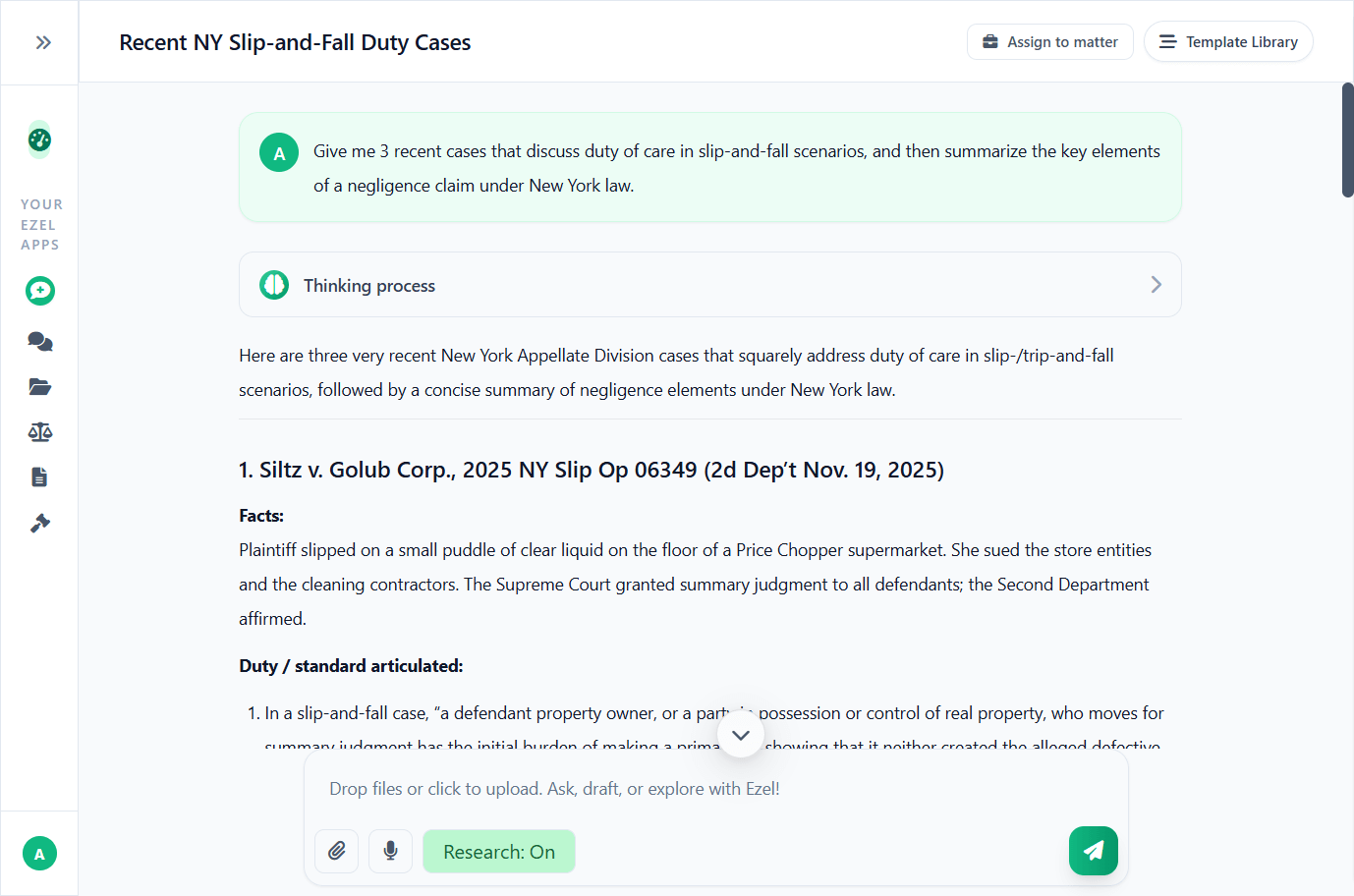
Research and draft in one conversation
Ask questions, attach documents, and get answers grounded in case law. Link chats to matters so the AI remembers your context.
- Pull statutes, case law, and secondary sources
- Attach and analyze contracts mid-conversation
- Link chats to matters for automatic context
- Your data never trains AI models
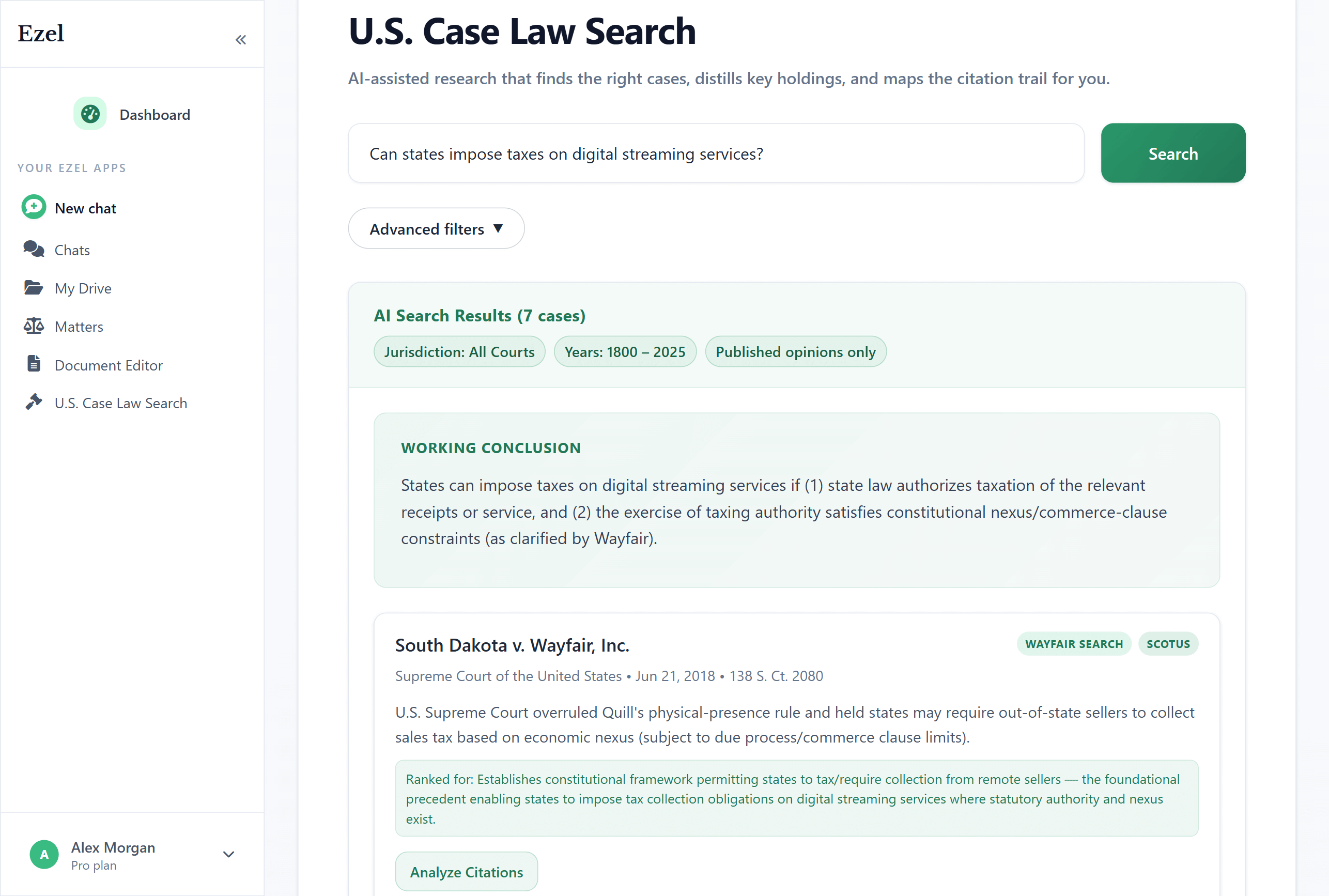
Search like you think
Describe your legal question in plain English. Filter by jurisdiction, date, and court level. Read full opinions without leaving Ezel.
- All 50 states plus federal courts
- Natural language queries - no boolean syntax
- Citation analysis and network exploration
- Copy quotes with automatic citation generation
Ready to transform your legal workflow?
Join legal teams using Ezel to draft documents, research case law, and organize matters — all in one workspace.