Administrative Subpoena Response Guide - Texas - Free Editor
ADMINISTRATIVE SUBPOENA / CID RESPONSE GUIDE
1. INTAKE AND AUTHORITY
- Log receipt date/time; calendar return date.
- Identify issuing agency, statutory authority, and enforcement forum.
- Verify service compliance and jurisdiction over recipient.
- Confirm any Texas-specific CID/subpoena prerequisites and meet-and-confer requirements in agency regulations.
2. SCOPE REVIEW
- List requests; note date ranges, custodians, subject matter.
- Identify overbreadth, vagueness, burden, privilege, confidentiality, and trade secret issues.
- Map data sources: email, messaging, cloud storage, devices, paper files.
3. PRESERVATION AND HOLDS
- Issue legal hold to relevant custodians; suspend auto-deletion where needed.
- Preserve devices/accounts; coordinate with IT for snapshots/exports.
4. NEGOTIATION AND MEET-AND-CONFER
- Request extensions if needed; propose narrowed date ranges/custodians/search terms.
- Seek protective order or confidentiality assurances for sensitive data.
- Clarify production format (ESI specs), privilege clawback, and rolling productions.
5. COLLECTION AND REVIEW
- Collect from agreed sources; document chain of custody.
- Privilege review (A/C, work product); redact PII/PHI/trade secrets as appropriate.
- Create privilege log if required.
6. PRODUCTION
- Produce in agreed format; Bates-label; include cover letter identifying requests satisfied.
- Track what was withheld, redacted, or deferred.
7. WITNESS/APPEARANCE PREP (IF TESTIMONY REQUESTED)
- Determine designee (if 30(b)(6)-like); prepare outline, exhibits, and facts; rehearse; address confidentiality.
- Counsel attendance and objections per agency rules.
8. FOLLOW-UP
- Track deadlines for supplemental responses; monitor for additional requests.
- Maintain a record of all communications and productions.
9. CHALLENGE / MOTION TO QUASH (IF NEEDED)
- Grounds: lack of jurisdiction, overbreadth, undue burden, privilege, irrelevance.
- Consider filing with agency or enforcing court per statute.
AI Legal Assistant
Do more with Ezel
This free template is just the beginning. See how Ezel helps legal teams draft, research, and collaborate faster.
AI Document Editor
AI that drafts while you watch
Tell the AI what you need and watch your document transform in real-time. No more copy-pasting between tools or manually formatting changes.
- Natural language commands: "Add a force majeure clause"
- Context-aware suggestions based on document type
- Real-time streaming shows edits as they happen
- Milestone tracking and version comparison
AI Chat Workspace
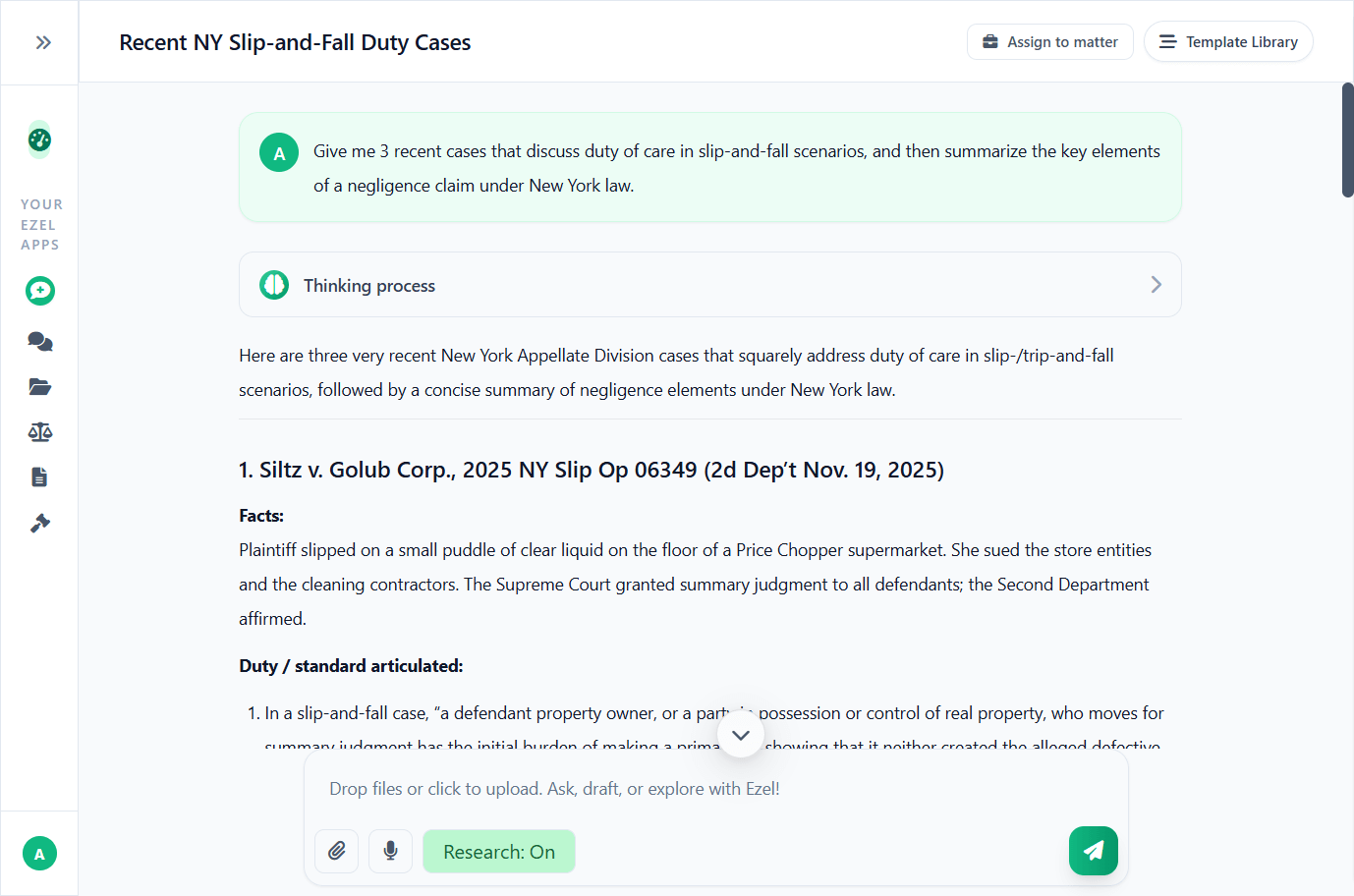
Research and draft in one conversation
Ask questions, attach documents, and get answers grounded in case law. Link chats to matters so the AI remembers your context.
- Pull statutes, case law, and secondary sources
- Attach and analyze contracts mid-conversation
- Link chats to matters for automatic context
- Your data never trains AI models
Case Law Search
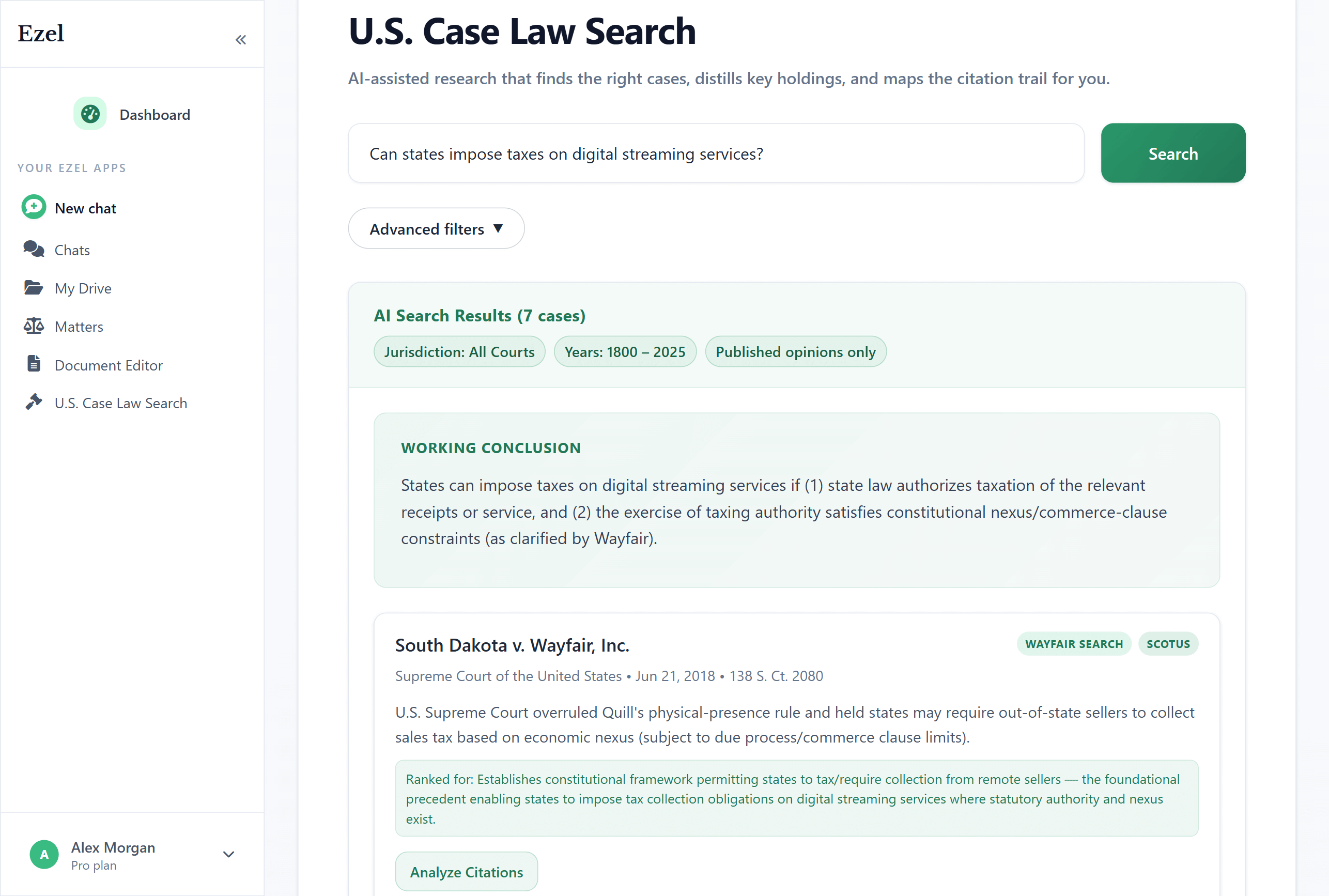
Search like you think
Describe your legal question in plain English. Filter by jurisdiction, date, and court level. Read full opinions without leaving Ezel.
- All 50 states plus federal courts
- Natural language queries - no boolean syntax
- Citation analysis and network exploration
- Copy quotes with automatic citation generation
Ready to transform your legal workflow?
Join legal teams using Ezel to draft documents, research case law, and organize matters — all in one workspace.